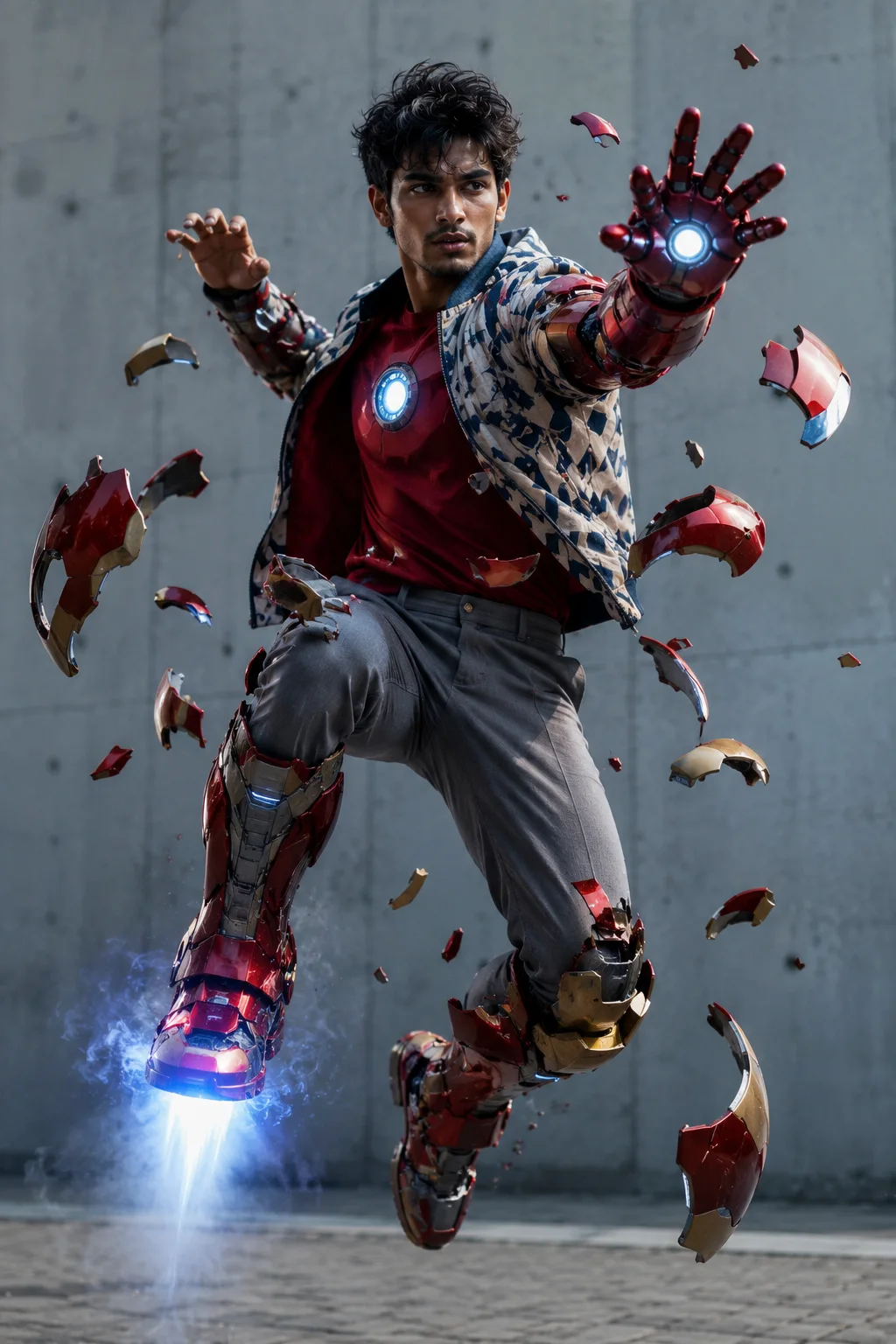
Iron Man Suit-Up Sequence Depiction
Create an epic men AI image using this high-quality prompt optimized for Chat GPT image generation.
Prompt Content
Use this prompt in your favorite AI image generator.
High-impact cinematic depiction of 23year old young boy [Ultra realstic 100% face matching], featuring a seme dark hair, and a confident, focused expression. The character is captured mid-air in a dynamic levitating pose, dressed in a white and blue geometric pattern bomber jacket over a red t-shirt and grey slim-fit trousers. The scene features a high-tech "suit-up" sequence where pieces of red and gold Iron Man-style Mark armor are flying through the air and magnetically attaching to his limbs. One arm is fully encased in a robotic gauntlet with a glowing white repulsor palm aimed forward, while the other arm is partially covered. A glowing circular arc reactor is visible on his chest, and a rocket thruster effect with blue light and smoke emits from his armored foot. Set against a minimalist, industrial light-grey concrete wall and paved ground. Captured using a 35mm lens, shallow depth of field, cinematic framing. Ultra-detailed textures on the metallic armor, realistic skin tones, professional cinematic color grading, sharp focus, HDR, ultra-high resolution, 4K, masterpiece quality.
About This Prompt
Auto GeneratedThis is a high-quality Men AI prompt crafted by Admin. It is designed to produce stunning visuals with minimal iteration. The prompt uses carefully selected descriptors and stylistic cues optimised for Chat GPT, making it ideal for creators who want consistent, professional results.
How To Use
Reusable Guide- 1Copy the prompt using the "Copy Prompt" button above.
- 2Open your preferred AI model (Chat GPT) and paste the prompt into the input field.
- 3Optionally, replace bracketed placeholders (e.g. [subject], [style]) with your own values to personalise the output.
- 4Run the prompt and review the result — iterate by tweaking descriptors for different moods or compositions.
- 5Save or export your favourite generations directly from the AI tool's interface.
For best results, use this prompt as-is before making edits — the defaults are already optimised.