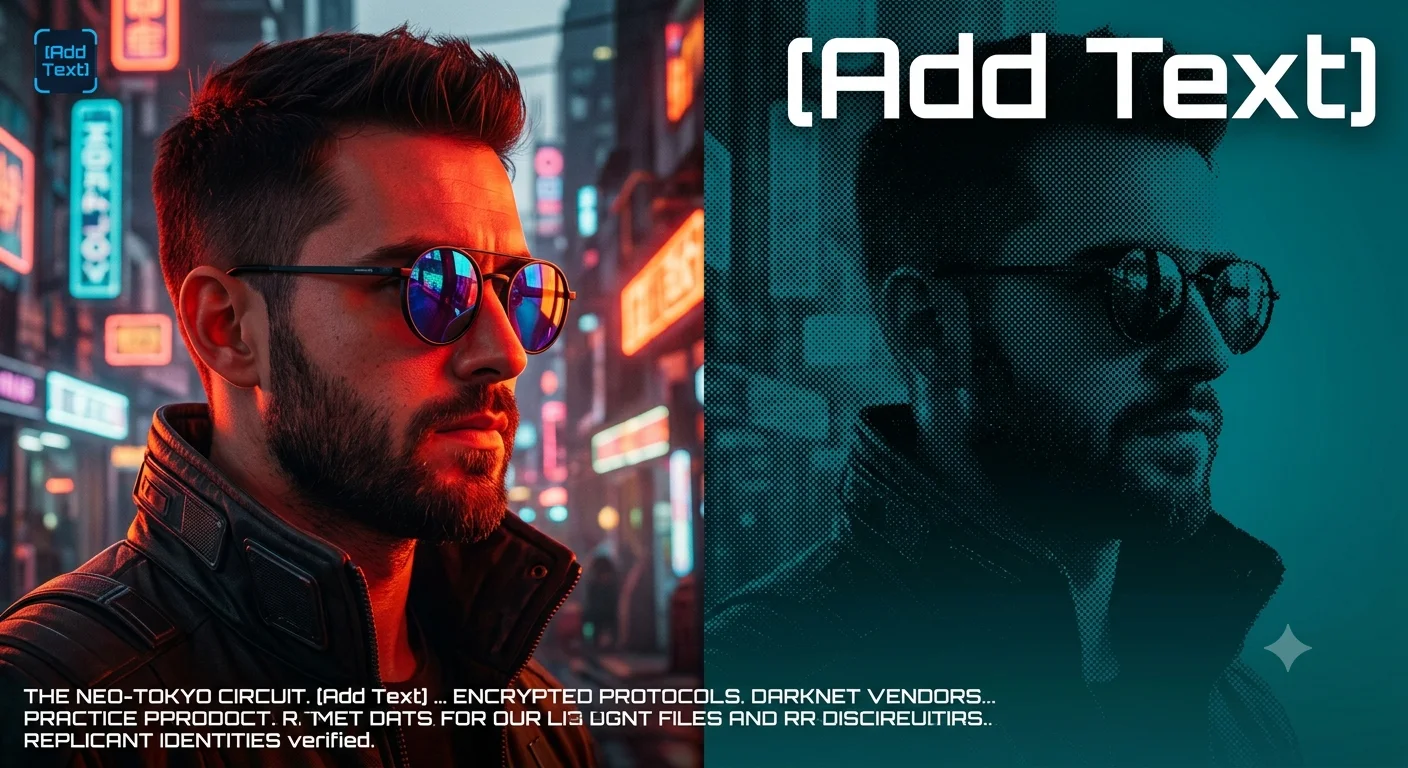
Neon Duality — Cyberpunk Split-Screen Portrait
Create an epic portrait AI image using this high-quality prompt optimized for Gemini AI image generation.
Prompt Content
Use this prompt in your favorite AI image generator.
Cyberpunk Portrait Split-Screen Transform this image [Upload Your Image] into a 64K DSLR shot resolution of a vibrant, modern digital portrait of a man (same face as the uploaded image) in side profile with a split-screen effect. The left side features a brightly lit, detailed image of the man (same face as the uploaded image) wearing stylish dark round sunglasses with reflective, colorful lenses, and a collared jacket illuminated by red and orange lighting. He has short, dark hair & a well-groomed beard.The right side shows a darker, more abstract, and textured version of the same profile with a dotted halftone pattern and a teal background. The background transitions from a textured dot pattern to a smooth gradient, emphasizing contrast and depth. The text "[Add Text]" appears in large white uppercase letters at the top right, with a small blue "[Add Text]" logo in the top left corner. Include a paragraph of placeholder text in white at the bottom, styled in a modern font. The overall aesthetic should be bold, high-contrast, with a cyberpunk and futuristic vibe. Octane render & Unreal Engine 5.
About This Prompt
Auto GeneratedThis is a high-quality Portrait AI prompt crafted by Admin. It is designed to produce realistic, expressive portrait visuals with minimal iteration. The prompt uses carefully selected descriptors and stylistic cues optimised for Gemini AI, making it ideal for creators who want consistent, professional results.
How To Use
Reusable Guide- 1Copy the prompt using the "Copy Prompt" button above.
- 2Open your preferred AI model (Gemini AI) and paste the prompt into the input field.
- 3Optionally, replace bracketed placeholders (e.g. [subject], [style]) with your own values to personalise the output.
- 4Run the prompt and review the result — iterate by tweaking descriptors for different moods or compositions.
- 5Save or export your favourite generations directly from the AI tool's interface.
For best results, use this prompt as-is before making edits — the defaults are already optimised.