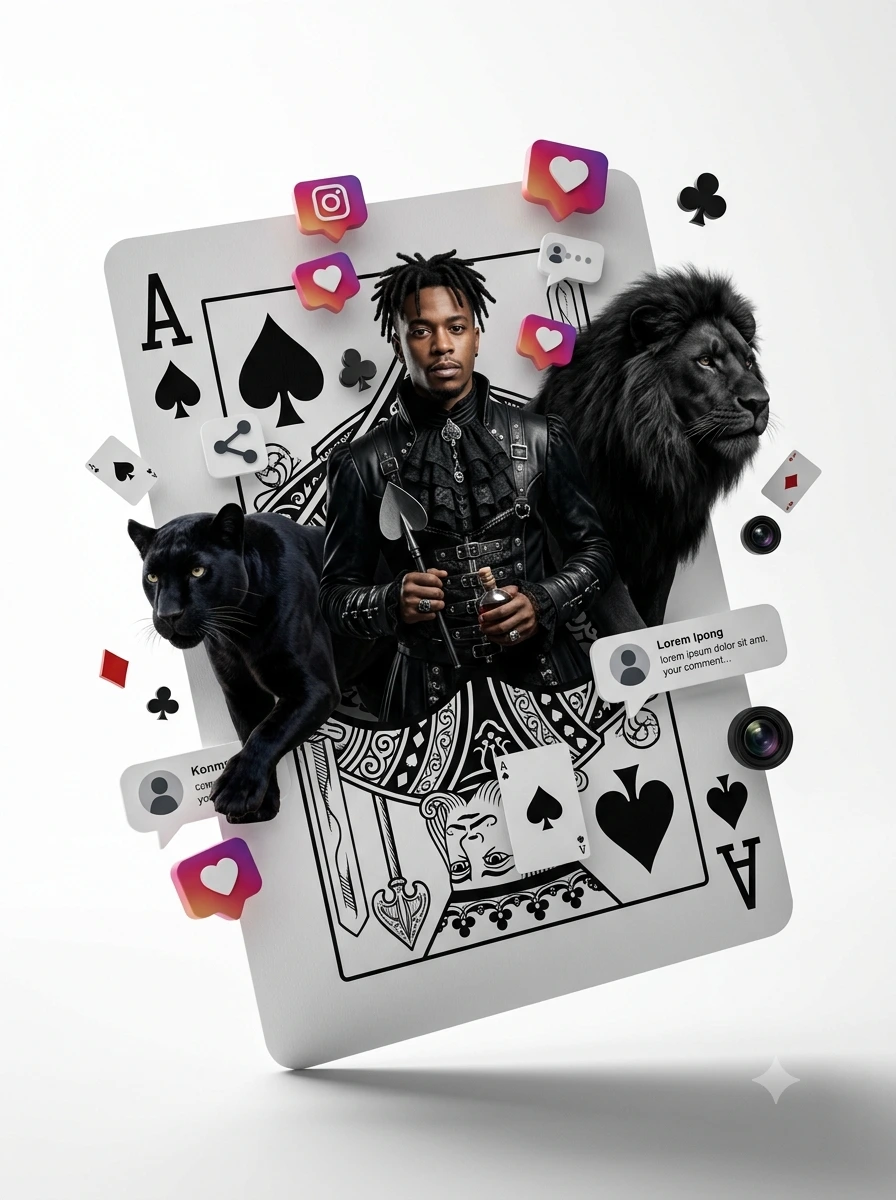
Ace of Shadows: Dark Alice Reign
Create an epic cinematic AI image using this high-quality prompt optimized for Gemini AI image generation.
Prompt Content
Use this prompt in your favorite AI image generator.
Use the uploaded image as a HIGH-PRIORITY reference for the person’s face and pose. Create an ultra-realistic composition in the format of a playing card “Ace of Spades”, styled as a dark “Alice in Wonderland” universe, combined with Instagram-inspired aesthetics. Core requirements: The person in the image must be transformed into a full-body “Dark Alice” character: dark fantasy styling detailed gothic outfit (gender-neutral or adapted to the character) stylized but recognizable hairstyle DO NOT change the original pose Add animals: black panther black lion → both appear realistic, volumetric, emerging from the card Style & composition: The card: → flat 2D illustration (classic poker design) The subject + animals: → hyper-realistic 3D elements emerging from the card IMPORTANT: ❌ no torn card effect ✅ use floating elements emerging from the card space Add floating 3D elements: Instagram UI: like icons (hearts) comment bubbles share icons camera / interface elements Poker elements: spade symbols mini cards decorative suits → varied scale → layered collage composition Perspective: strong 3D depth overlapping elements subject clearly coming forward from the card Final scene: card placed in a clean white space touching surface at one corner only soft realistic shadow Technical specs: aspect ratio: 3:4 ultra-detailed cinematic lighting high contrast hybrid 2D + 3D style
About This Prompt
Auto GeneratedThis is a high-quality Cinematic AI prompt crafted by Admin. It is designed to produce cinematic, film-quality visuals with minimal iteration. The prompt uses carefully selected descriptors and stylistic cues optimised for Gemini AI, making it ideal for creators who want consistent, professional results.
How To Use
Reusable Guide- 1Copy the prompt using the "Copy Prompt" button above.
- 2Open your preferred AI model (Gemini AI) and paste the prompt into the input field.
- 3Optionally, replace bracketed placeholders (e.g. [subject], [style]) with your own values to personalise the output.
- 4Run the prompt and review the result — iterate by tweaking descriptors for different moods or compositions.
- 5Save or export your favourite generations directly from the AI tool's interface.
For best results, use this prompt as-is before making edits — the defaults are already optimised.


