AMG NOIR: Cyberpunk Street Racing Dominance
Create an epic cinematic AI image using this high-quality prompt optimized for Gemini AI image generation.
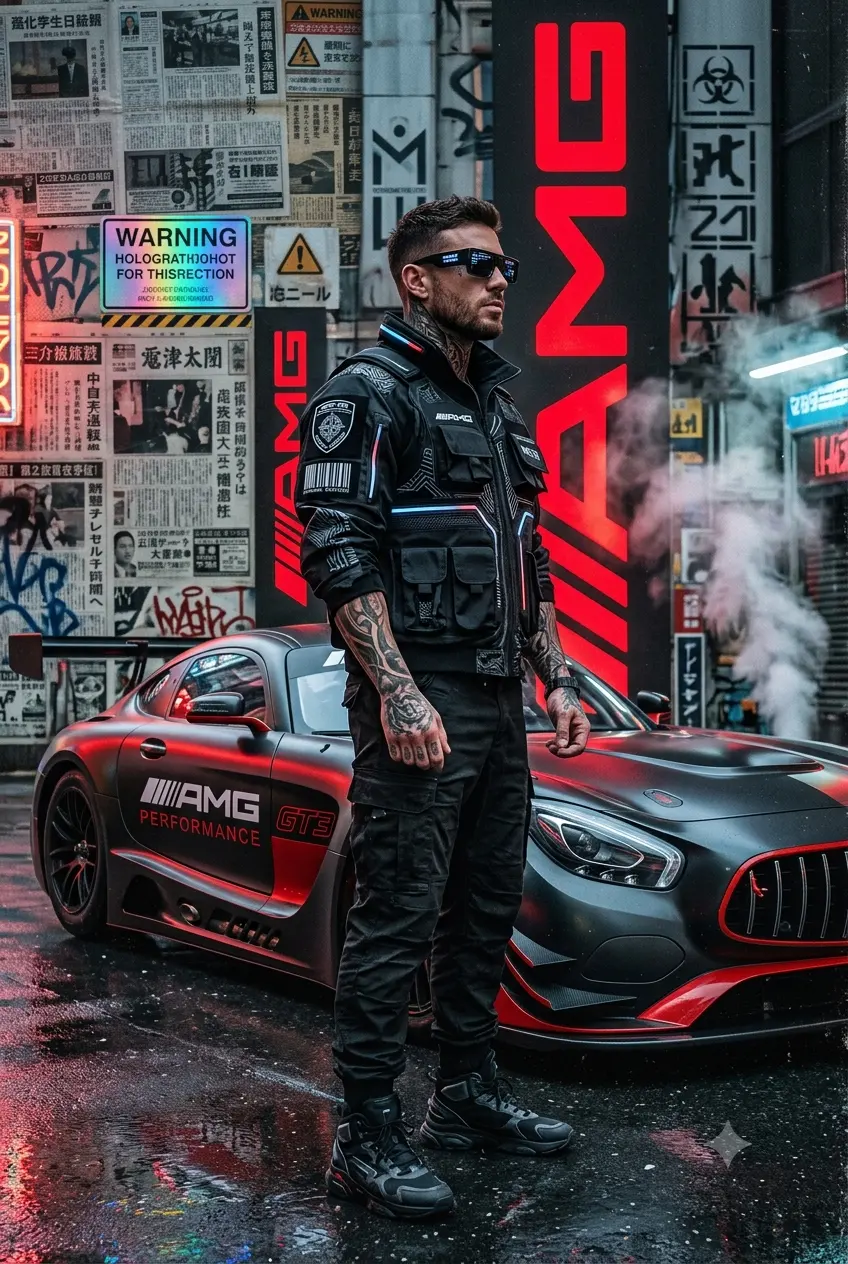
Prompt Content
Use this prompt in your favorite AI image generator.
Ultra-realistic cyberpunk automotive street poster featuring a powerful tattooed male model wearing black futuristic AMG-inspired tactical fashion, standing in a dominant side-profile pose beside a glossy red Mercedes-AMG GT race car. He wears a luxury black sunglasses, and a serious expression. His outfit is a high-tech black armored jacket covered in futuristic patterns, patches, typography, and AMG performance branding.Background is a gritty urban collage wall layered with torn newspapers, warning signs, barcodes, industrial textures, graffiti, and bold oversized red vertical ‘AMG’ text. Cinematic smoke and steam surround the car, with wet reflective pavement creating dramatic reflections. The red Mercedes-AMG GT features aggressive widebody styling, glossy reflections, black rims, racing aero kit, and studio-quality lighting. Color palette dominated by black, red, gray, and metallic tones.Hyper-detailed textures, cinematic contrast, luxury performance aesthetic, editorial street-racing vibe, dystopian cyberpunk atmosphere, ultra sharp focus, photorealistic, volumetric smoke, dramatic shadows, high-end poster design, 8K, masterpiece, highly detailed.
About This Prompt
Auto GeneratedThis is a high-quality Cinematic AI prompt crafted by Admin. It is designed to produce cinematic, film-quality visuals with minimal iteration. The prompt uses carefully selected descriptors and stylistic cues optimised for Gemini AI, making it ideal for creators who want consistent, professional results.
How To Use
Reusable Guide- 1Copy the prompt using the "Copy Prompt" button above.
- 2Open your preferred AI model (Gemini AI) and paste the prompt into the input field.
- 3Optionally, replace bracketed placeholders (e.g. [subject], [style]) with your own values to personalise the output.
- 4Run the prompt and review the result — iterate by tweaking descriptors for different moods or compositions.
- 5Save or export your favourite generations directly from the AI tool's interface.
For best results, use this prompt as-is before making edits — the defaults are already optimised.


