Ascension of Freedom — Chromatic Drift Editorial
Create an epic cinematic AI image using this high-quality prompt optimized for Gemini AI image generation.
Prompt Content
Use this prompt in your favorite AI image generator.
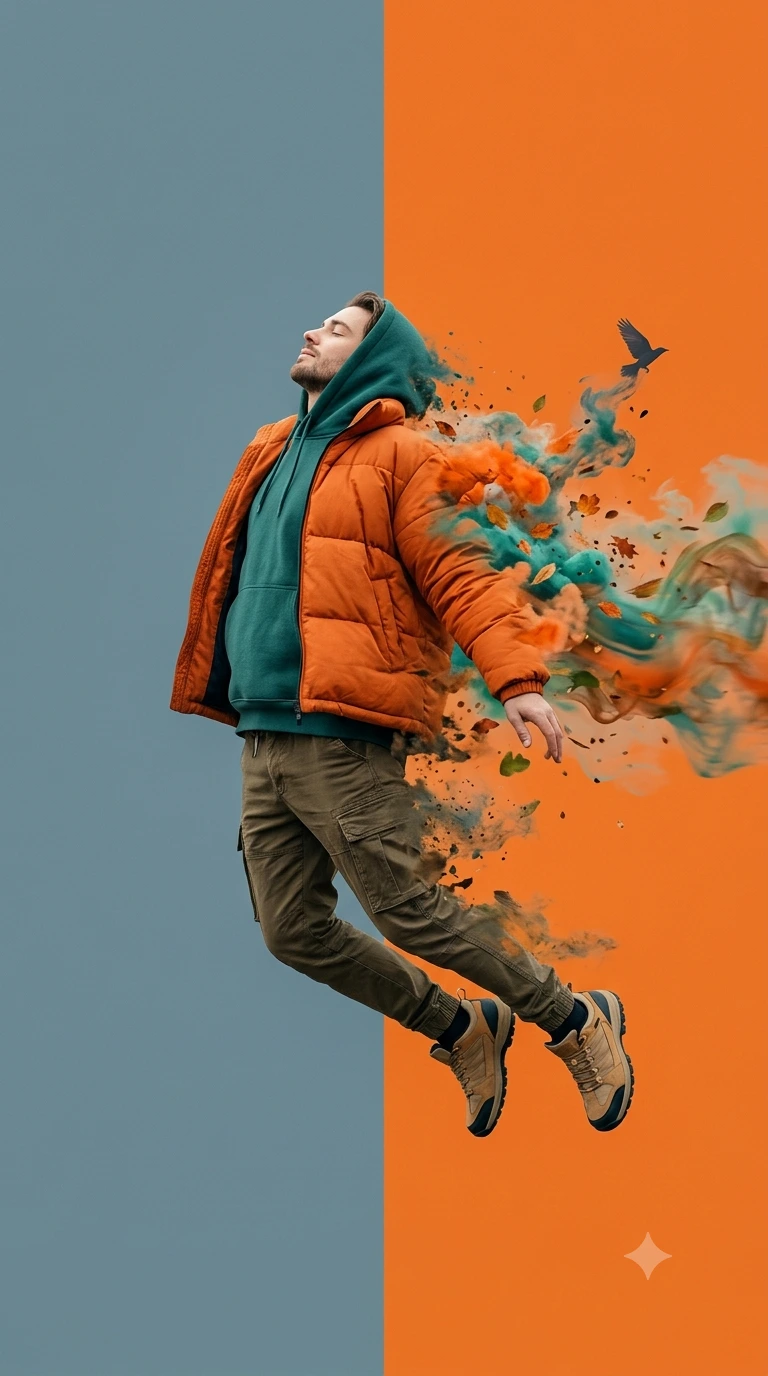
A full-body side profile of a man in mid-air, captured in a serene, floating leap. His head is tilted back with eyes closed in an expression of peace and liberation. Attire: He is wearing oversized, layered urban streetwear, including a heavy orange puffer-style jacket, a deep teal-green hoodie with the hood up, olive-drab cargo pants with tactical pockets, and rugged tan hiking-style sneakers. Artistic Effects:The man’s silhouette is partially disintegrating into a dynamic explosion of colorful smoke, autumn leaves, and abstract particles. This trail of "soul energy" mirrors his clothing colors—vibrant orange, teal, and earthy brown—erupting from his back and legs. A small, dark bird silhouette is seen flying away from the smoke trail, emphasizing the theme of freedom. Background & Lighting: A minimalist, dual-tone split background featuring a soft, muted blue-grey on the left and a bold, solid orange on the right. The lighting is soft and cinematic, highlighting the textures of the fabric and the ethereal nature of the smoke. Technical Style: Ultra-realistic surrealism, 8K resolution, high-fashion editorial aesthetic. The composition should maintain sharp focus on the man's face and clothing while the trailing elements have a painterly, fluid motion blur. Key Visual Elements for Your Project Color Palette: A striking contrast of warm orange and cool teal. Composition: Low-angle, dynamic mid-air pose that makes the subject appear dominant and free. Theme: High-fashion editorial meets conceptual digital art. Aspect ratio is 9:16
About This Prompt
Auto GeneratedThis is a high-quality Cinematic AI prompt crafted by Admin. It is designed to produce cinematic, film-quality visuals with minimal iteration. The prompt uses carefully selected descriptors and stylistic cues optimised for Gemini AI, making it ideal for creators who want consistent, professional results.
How To Use
Reusable Guide- 1Copy the prompt using the "Copy Prompt" button above.
- 2Open your preferred AI model (Gemini AI) and paste the prompt into the input field.
- 3Optionally, replace bracketed placeholders (e.g. [subject], [style]) with your own values to personalise the output.
- 4Run the prompt and review the result — iterate by tweaking descriptors for different moods or compositions.
- 5Save or export your favourite generations directly from the AI tool's interface.
For best results, use this prompt as-is before making edits — the defaults are already optimised.


