CREATIVE EMPRESS: The Paintbrush Throne of Artistic Majesty
Create an epic cinematic AI image using this high-quality prompt optimized for Gemini AI image generation.
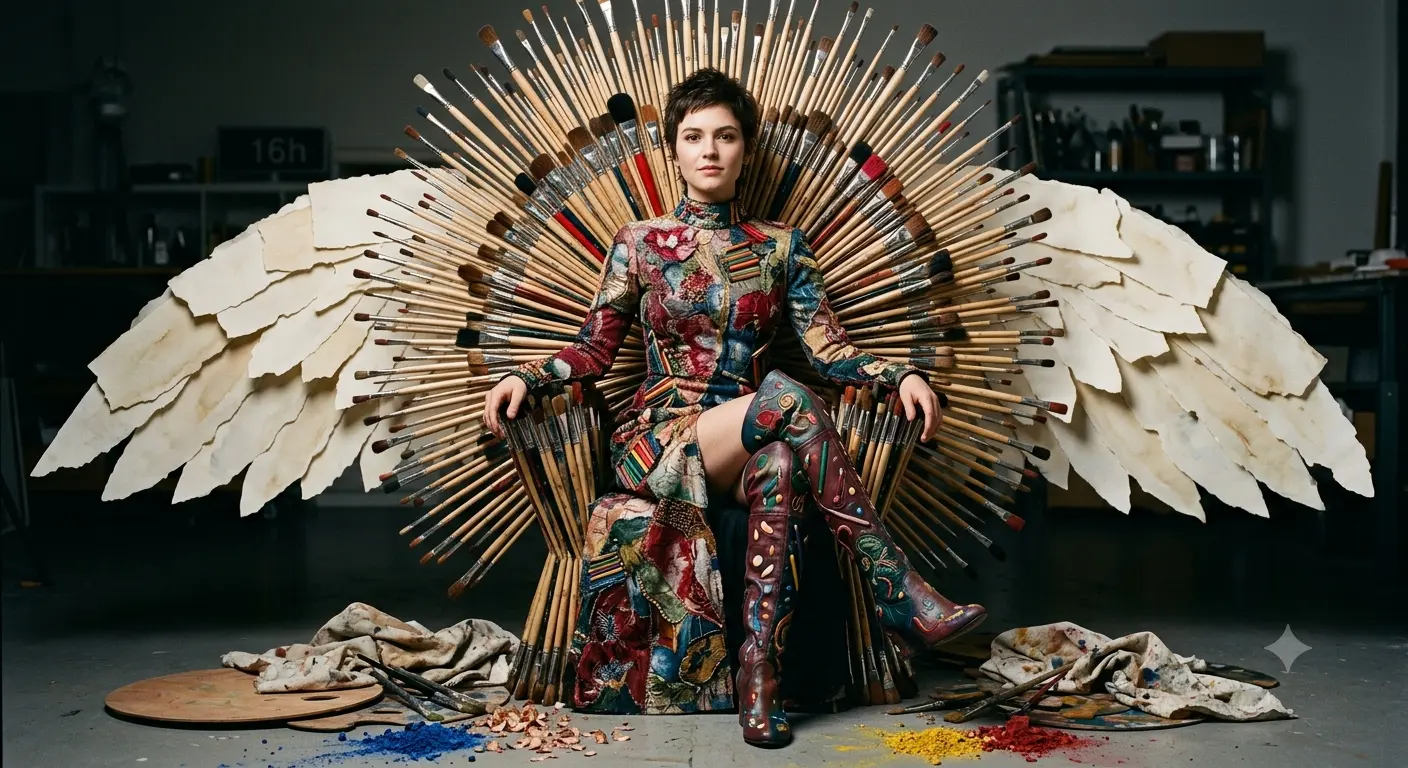
Prompt Content
Use this prompt in your favorite AI image generator.
A striking, ultra-detailed full-body portrait of an elegant woman seated on a throne made from an explosion of artist paintbrushes fanned like a halo; she wears an ornate, form-fitting embroidered gown and thigh-high boots composed of vibrant painted flowers, colored pencils and textured stitches, with layered watercolor-paper wings unfurling behind her; scattered palettes, paint-splattered cloths, brush ferrules, pencil shavings and crushed pigments litter the foreground, wet paint glistening and fine glittering dust catching the light. Cinematic studio lighting with a soft key and dramatic rim light, high contrast, saturated jewel tones, perfect skin tones, razor-sharp facial focus, microtexture on fabric, bristles, wood and beads, shallow depth of field (85mm equivalent, f/1.8) for creamy bokeh, photorealistic, editorial fashion photography, symmetrical composition, regal and creative mood, emphasize intricate embroidery, brushstroke detail, realistic material rendering, 8k resolution, hyperreal textures and rich color veersingh.1412 16h harmony.
About This Prompt
Auto GeneratedThis is a high-quality Cinematic AI prompt crafted by Admin. It is designed to produce cinematic, film-quality visuals with minimal iteration. The prompt uses carefully selected descriptors and stylistic cues optimised for Gemini AI, making it ideal for creators who want consistent, professional results.
How To Use
Reusable Guide- 1Copy the prompt using the "Copy Prompt" button above.
- 2Open your preferred AI model (Gemini AI) and paste the prompt into the input field.
- 3Optionally, replace bracketed placeholders (e.g. [subject], [style]) with your own values to personalise the output.
- 4Run the prompt and review the result — iterate by tweaking descriptors for different moods or compositions.
- 5Save or export your favourite generations directly from the AI tool's interface.
For best results, use this prompt as-is before making edits — the defaults are already optimised.


