Crimson Nexus Cybernetic Portrait
Create an epic cinematic AI image using this high-quality prompt optimized for Gemini AI image generation.
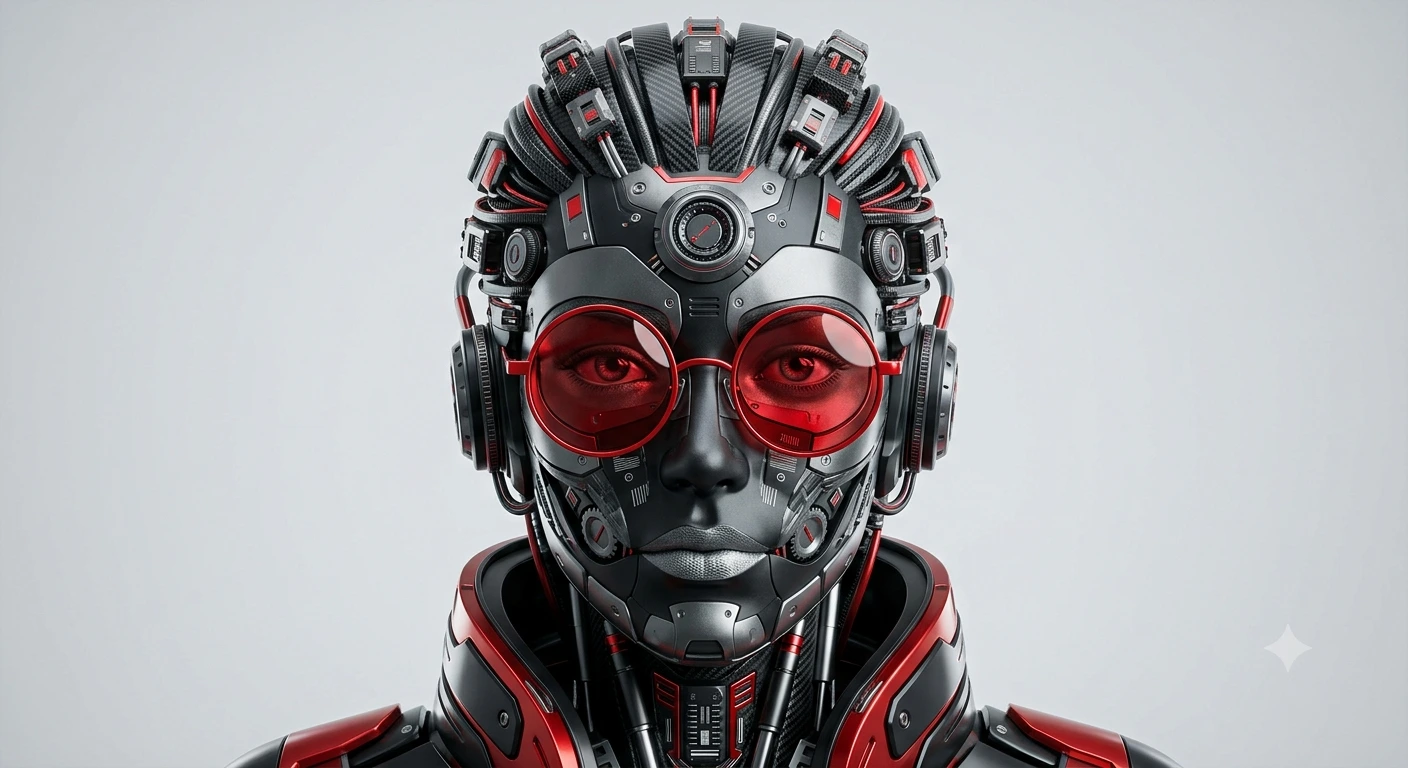
Prompt Content
Use this prompt in your favorite AI image generator.
Using my uploaded reference image as the facial reference, create a hyper-detailed futuristic robotic portrait in a symmetrical front-facing composition. The character should resemble my facial structure and hairstyle while being transformed into a sophisticated cybernetic humanoid made entirely of mechanical components, circuit-like textures, gears, metallic plates, screws, wires, and layered industrial design elements. The face should be constructed from matte black, gunmetal grey, and silver robotic parts with bold red accents throughout the design. Add oversized circular red glasses with glossy reflections as the focal point. The eyes should remain realistic and expressive, glowing subtly red while maintaining a human emotional depth. The hairstyle should be recreated as a sculptural arrangement of futuristic mechanical strands, layered carbon-fiber textures, tiny robotic modules, and intricate red-highlighted tech details. Include dense micro-details like vents, dials, pistons, electronic ports, and layered machinery integrated seamlessly into the head and neck. The outfit should resemble a futuristic armored collar and shoulders made of sleek red-and-black mechanical panels.Keep the overall aesthetic clean, premium, and artistic — like a high-end 3D collectible sculpture mixed with cyberpunk character design. Use a minimal light grey studio background with soft cinematic lighting, ultra-sharp focus, balanced symmetry, depth, and realistic reflections. Render in ultra-realistic 3D, octane render style, highly detailed, 8K resolution, centered composition, modern sci-fi art aesthetic.
About This Prompt
Auto GeneratedThis is a high-quality Cinematic AI prompt crafted by Admin. It is designed to produce cinematic, film-quality visuals with minimal iteration. The prompt uses carefully selected descriptors and stylistic cues optimised for Gemini AI, making it ideal for creators who want consistent, professional results.
How To Use
Reusable Guide- 1Copy the prompt using the "Copy Prompt" button above.
- 2Open your preferred AI model (Gemini AI) and paste the prompt into the input field.
- 3Optionally, replace bracketed placeholders (e.g. [subject], [style]) with your own values to personalise the output.
- 4Run the prompt and review the result — iterate by tweaking descriptors for different moods or compositions.
- 5Save or export your favourite generations directly from the AI tool's interface.
For best results, use this prompt as-is before making edits — the defaults are already optimised.


