Emerald Legacy: The Power Within
Create an epic cinematic AI image using this high-quality prompt optimized for Gemini AI image generation.
Prompt Content
Use this prompt in your favorite AI image generator.
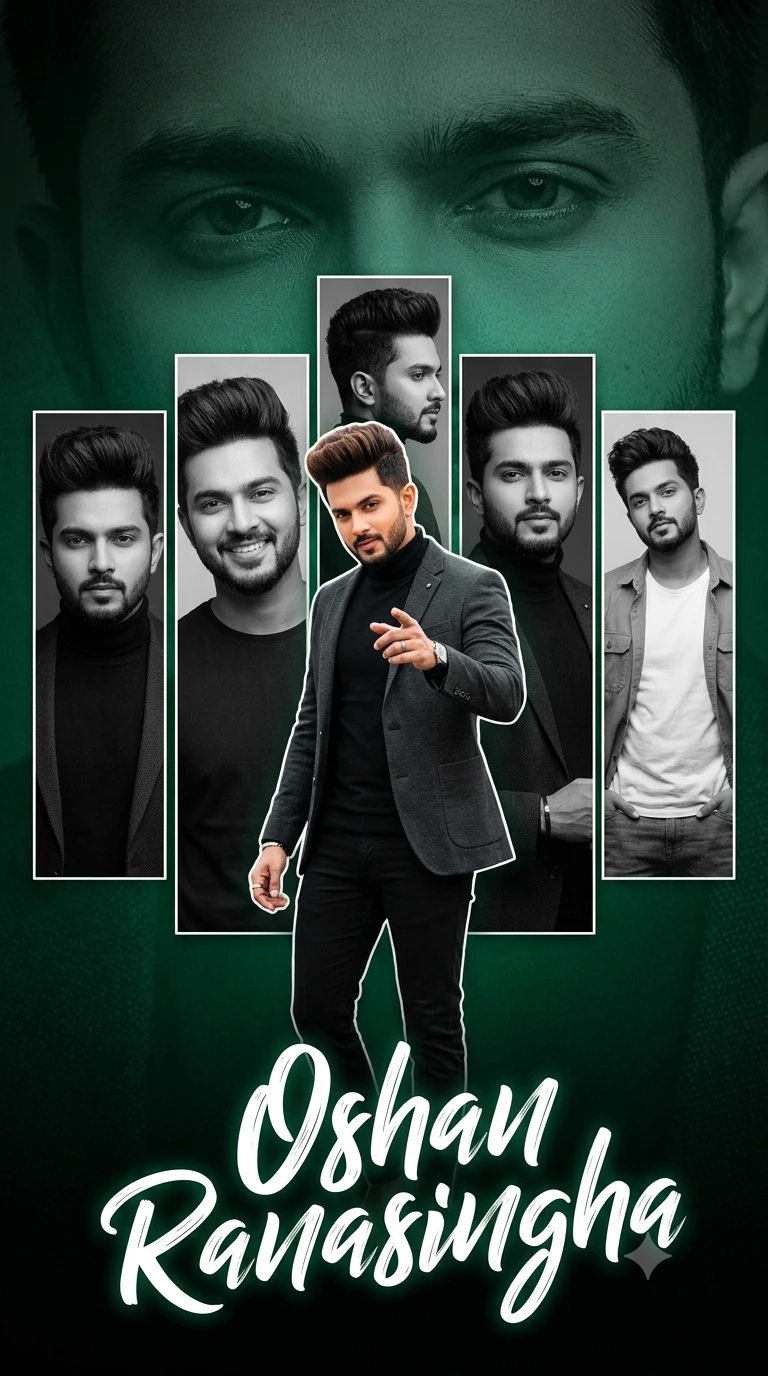
Create a dramatic tribute poster with a bold deep emerald green and black monochrome background. The background should feature a faint, large close-up of the man's eyes blended smoothly into the dark green textured backdrop for intensity and depth. In the center, design a clean collage layout with five vertical rectangular panels showing black-and-white portraits of the same stylish man (USE UPLOADED PHOTO FACE % — exact facial structure,real skin texture, original eyes, nose, lips, jawline preserved with full identity accuracy, no alteration, no beautification, no AI reconstruction). Each panel should show different poses and expressions (serious, smiling, side profile, confident look, relaxed casual stance). Overlaying the panels in the foreground, place a larger full-color cutout of the same man pointing confidently toward the viewer. He should have voluminous styled hairstyle, fair face, neatly trimmed beard, and a charismatic expression. Outfit: modern luxury street-formal fusion — fitted black turtleneck, tailored charcoal blazer with subtle texture, slim black trousers, and minimal silver accessories (watch or ring). Stylish and powerful presence. At the bottom, add a bold handwritten script-style signature text reading “Oshan Ranasingha” in large white brush lettering with slight glow effect. Add subtle cinematic rim lighting, dramatic shadows, high contrast, ultra-sharp details, modern fan-made poster aesthetic, shallow depth of field, professional color grading. Overall mood should be powerful, celebratory, stylish, and premium with a strong green-and-black theme.
About This Prompt
Auto GeneratedThis is a high-quality Cinematic AI prompt crafted by Admin. It is designed to produce cinematic, film-quality visuals with minimal iteration. The prompt uses carefully selected descriptors and stylistic cues optimised for Gemini AI, making it ideal for creators who want consistent, professional results.
How To Use
Reusable Guide- 1Copy the prompt using the "Copy Prompt" button above.
- 2Open your preferred AI model (Gemini AI) and paste the prompt into the input field.
- 3Optionally, replace bracketed placeholders (e.g. [subject], [style]) with your own values to personalise the output.
- 4Run the prompt and review the result — iterate by tweaking descriptors for different moods or compositions.
- 5Save or export your favourite generations directly from the AI tool's interface.
For best results, use this prompt as-is before making edits — the defaults are already optimised.


