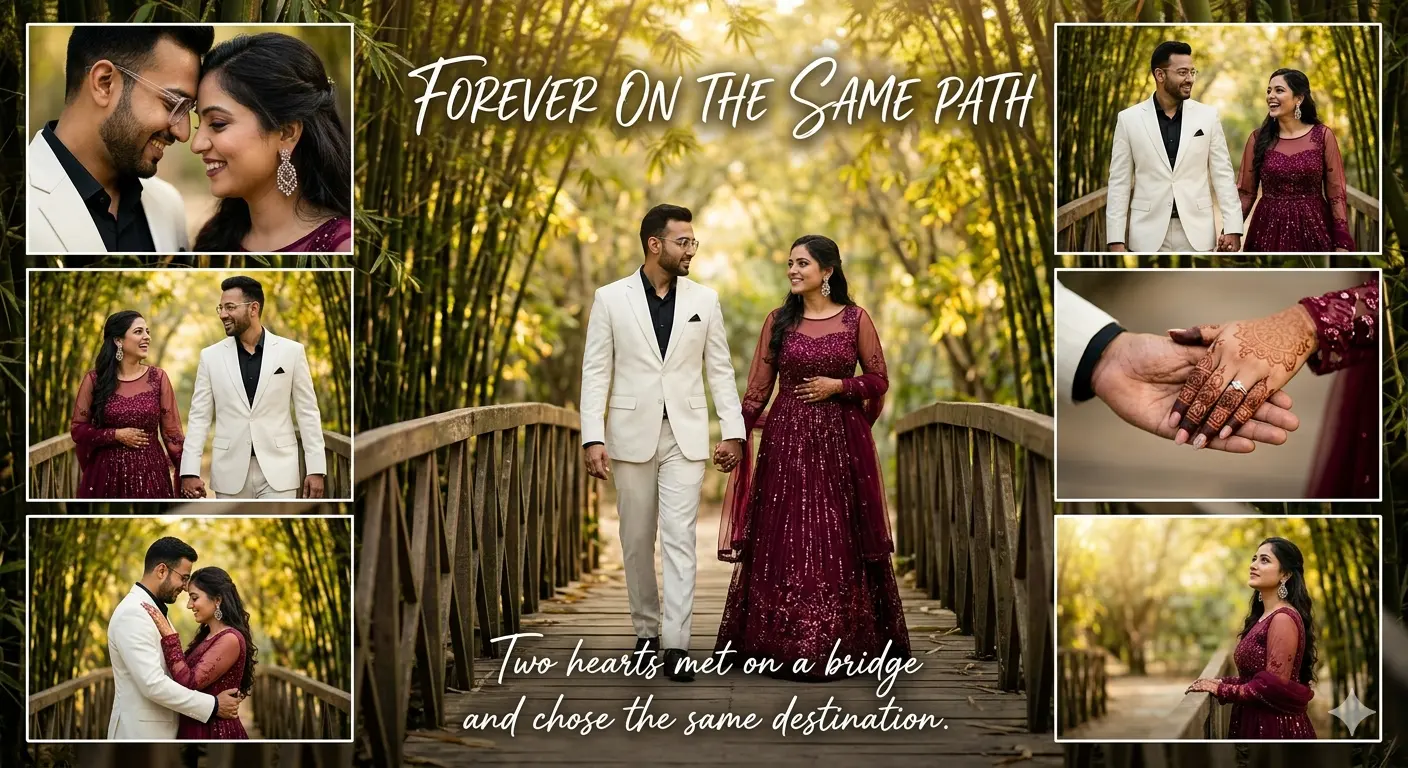
FOREVER ON THE SAME PATH
Create an epic product AI image using this high-quality prompt optimized for Gemini AI image generation.
Prompt Content
Use this prompt in your favorite AI image generator.
Luxury cinematic pre-wedding collage poster of a romantic South Asian couple walking hand-in-hand on a wooden bridge inside a lush bamboo forest. Preserve exact facial features and realistic skin texture from the reference images. The man wears an ivory-white luxury suit with a black shirt and transparent glasses. The woman wears a sparkling deep wine-maroon embroidered gown with sheer sleeves and statement earrings Include multiple collage frames with:Romantic close-ups • Candid walking shots • Mehndi and engagement ring hand-holding moments • Intimate hugging poses • Elegant solo portrait of the woman Warm golden sunlight, dreamy green bamboo background, creamy bokeh, cinematic lighting, shallow depth of field, ultra-realistic DSLR photography, luxury wedding editorial aesthetic, Pinterest-style romantic composition. Add elegant white handwritten text: “FOREVER ON THE SAME PATH” “Two hearts met on a bridge and chose the same destination.”Negative prompt: blurry faces, distorted hands, extra fingers, unrealistic anatomy, cartoon look, watermark, low quality
About This Prompt
Auto GeneratedThis is a high-quality Product AI prompt crafted by Admin. It is designed to produce stunning visuals with minimal iteration. The prompt uses carefully selected descriptors and stylistic cues optimised for Gemini AI, making it ideal for creators who want consistent, professional results.
How To Use
Reusable Guide- 1Copy the prompt using the "Copy Prompt" button above.
- 2Open your preferred AI model (Gemini AI) and paste the prompt into the input field.
- 3Optionally, replace bracketed placeholders (e.g. [subject], [style]) with your own values to personalise the output.
- 4Run the prompt and review the result — iterate by tweaking descriptors for different moods or compositions.
- 5Save or export your favourite generations directly from the AI tool's interface.
For best results, use this prompt as-is before making edits — the defaults are already optimised.