FROST // FIRE : THE MAN BETWEEN CHAOS
Create an epic cinematic AI image using this high-quality prompt optimized for Gemini AI image generation.
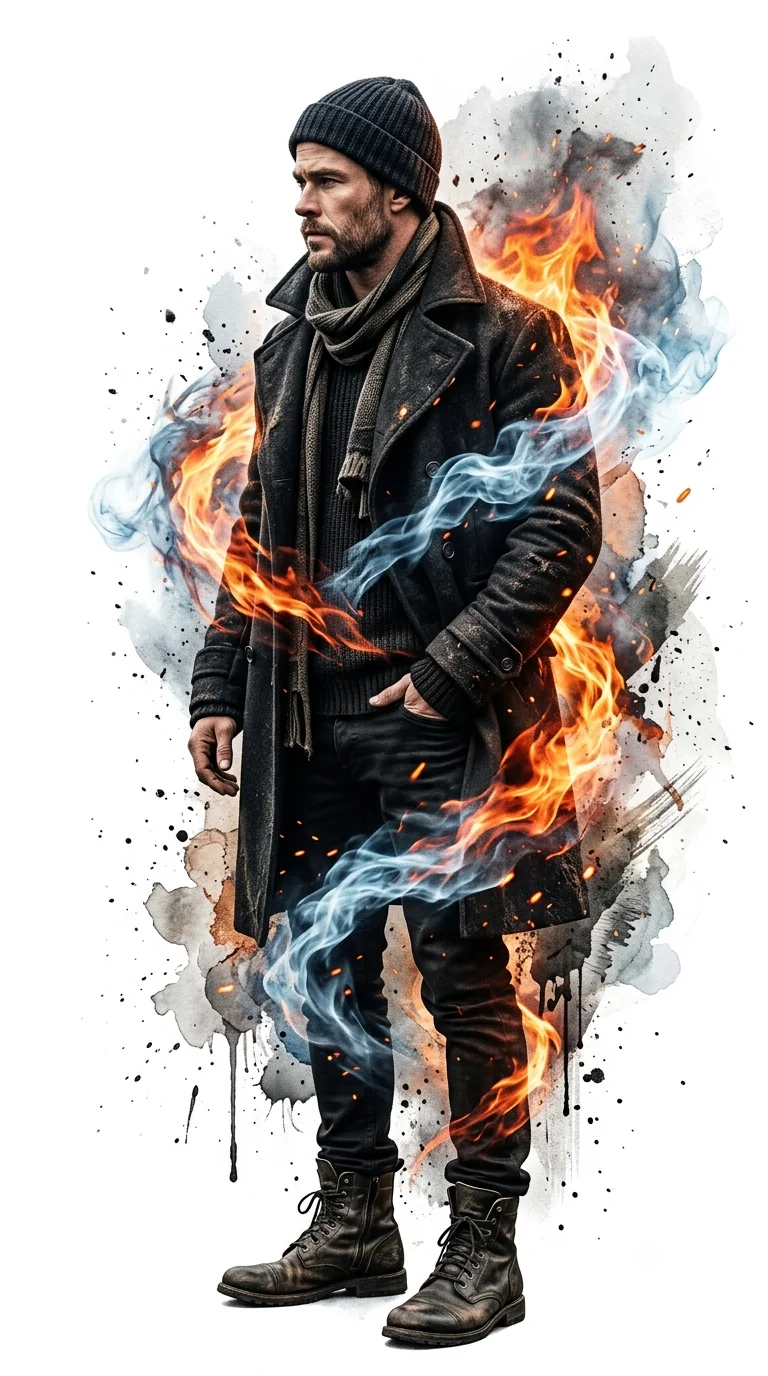
Prompt Content
Use this prompt in your favorite AI image generator.
Ultra-realistic 8K cinematic full-body side-profile portrait of a rugged man standing in a powerful dynamic pose against a pure white studio background, facing sideways with his head slightly turned forward. He wears a distressed charcoal-black trench coat over a dark knit sweater, layered scarf, black beanie, fitted dark pants, and worn tactical leather boots. One hand inside the coat pocket while the other hangs naturally, creating a confident cinematic silhouette.Stoic expression, sharp jawline, short-trimmed beard, masculine rugged features. A dramatic double-exposure vortex of blazing orange fire and icy blue smoke wraps around his body from behind, spiraling across the torso and legs with fluid motion. The energy dissolves into expressive watercolor splashes, ink drips, ash particles, rough paint strokes, and abstract textures around the edges of his silhouette, creating a fusion of realism and painterly digital art.High-contrast cinematic lighting, realistic fabric textures, glowing embers, volumetric smoke, detailed leather, dramatic shadows, ultra-sharp focus, subtle film grain, luxury poster aesthetic, dark atmospheric mood, photorealistic yet artistic, masterpiece quality, centered composition, 9:16 aspect ratio, not AI-looking.
About This Prompt
Auto GeneratedThis is a high-quality Cinematic AI prompt crafted by Admin. It is designed to produce cinematic, film-quality visuals with minimal iteration. The prompt uses carefully selected descriptors and stylistic cues optimised for Gemini AI, making it ideal for creators who want consistent, professional results.
How To Use
Reusable Guide- 1Copy the prompt using the "Copy Prompt" button above.
- 2Open your preferred AI model (Gemini AI) and paste the prompt into the input field.
- 3Optionally, replace bracketed placeholders (e.g. [subject], [style]) with your own values to personalise the output.
- 4Run the prompt and review the result — iterate by tweaking descriptors for different moods or compositions.
- 5Save or export your favourite generations directly from the AI tool's interface.
For best results, use this prompt as-is before making edits — the defaults are already optimised.


