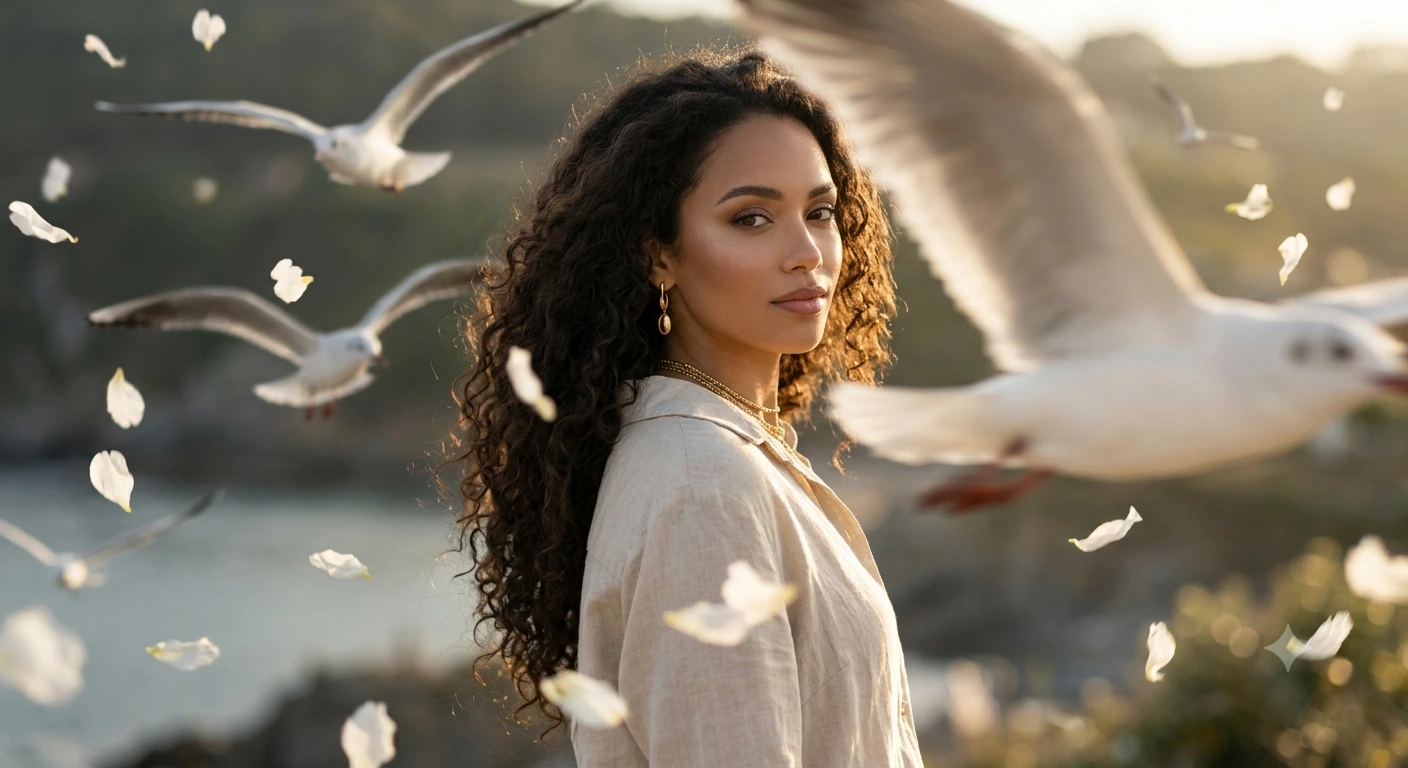
Golden Hour Dreamscape 🌅🕊️ (Cinematic Portrait / AI Art)
Create an epic cinematic AI image using this high-quality prompt optimized for Gemini AI image generation.
Prompt Content
Use this prompt in your favorite AI image generator.
A cinematic portrait of this exact same woman, using her face, skin tone, exact facial features, makeup, long voluminous curly dark hair, earrings, necklace, and overall appearance 100% accurately. Different aesthetic pose: she is standing in a graceful three-quarter turn, gently looking back over her shoulder directly at the camera with a calm, dreamy, and slightly mysterious expression. She wears the same light beige linen shirt. White flower petals are floating and falling around her in the wind. Several seagulls are flying across the frame, with one large seagull passing very close in the foreground creating depth and motion. Bright golden-hour sunlight with crisp shadows and beautiful highlights on her hair and skin. Shallow depth of field, foreground motion blur on the bird and petals, ultra-realistic, high dynamic range, 85mm lens, f/2.0, cinematic composition, 8K film still aesthetic.
About This Prompt
Auto GeneratedThis is a high-quality Cinematic AI prompt crafted by Admin. It is designed to produce cinematic, film-quality visuals with minimal iteration. The prompt uses carefully selected descriptors and stylistic cues optimised for Gemini AI, making it ideal for creators who want consistent, professional results.
How To Use
Reusable Guide- 1Copy the prompt using the "Copy Prompt" button above.
- 2Open your preferred AI model (Gemini AI) and paste the prompt into the input field.
- 3Optionally, replace bracketed placeholders (e.g. [subject], [style]) with your own values to personalise the output.
- 4Run the prompt and review the result — iterate by tweaking descriptors for different moods or compositions.
- 5Save or export your favourite generations directly from the AI tool's interface.
For best results, use this prompt as-is before making edits — the defaults are already optimised.


