JOKER: Put On A Happy Face
Create an epic cinematic AI image using this high-quality prompt optimized for Gemini AI image generation.
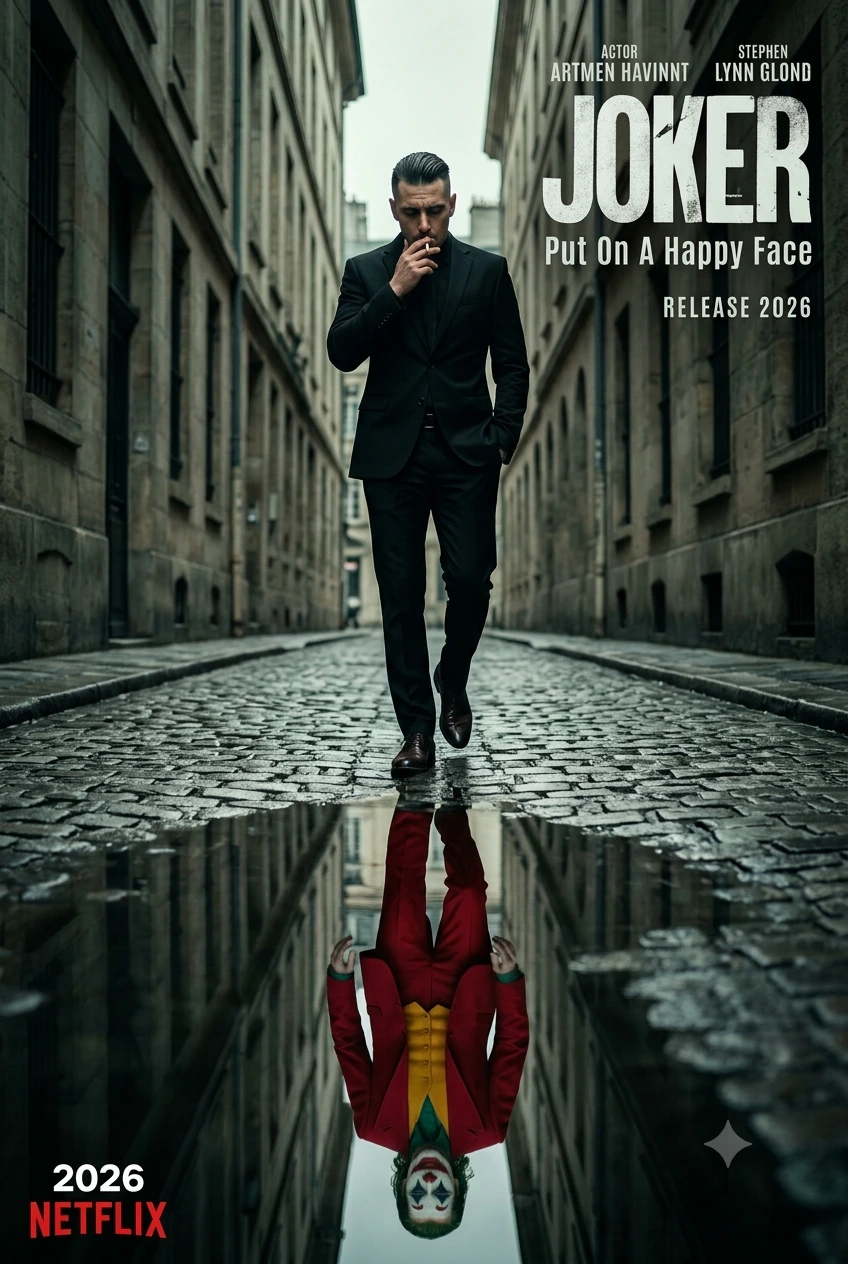
Prompt Content
Use this prompt in your favorite AI image generator.
Create a cinematic psychological thriller movie poster in a narrow European alleyway with wet cobblestone streets and moody overcast lighting. A sharply dressed man in a tailored black suit walks confidently toward the camera while lighting a cigarette, one hand in pocket, serious expression, polished shoes, slick hairstyle, realistic proportions. Low-angle centered composition with strong symmetry from tall buildings on both sides.At the bottom of the street is a large puddle reflecting the man, but in the reflection he appears as a sinister clown figure in a bright red suit, yellow vest, green shirt, white face paint, red lips, green hair, dramatic makeup, twisted smile, creating a dual identity illusion. Reflection perfectly aligned and highly detailed. Add bold distressed movie-poster typography in top right: JOKER with subtitle Put On A Happy Face. Add actor-style text above, release date below, and 2026 NETFLIX logo at bottom left. Style: dark psychological drama, hyper-realistic, ultra detailed, cinematic color grading, gritty atmosphere, shallow depth of field, dramatic shadows, premium poster design, 8K resolution. Aspect ratio: 2:3 vertical.
About This Prompt
Auto GeneratedThis is a high-quality Cinematic AI prompt crafted by Admin. It is designed to produce cinematic, film-quality visuals with minimal iteration. The prompt uses carefully selected descriptors and stylistic cues optimised for Gemini AI, making it ideal for creators who want consistent, professional results.
How To Use
Reusable Guide- 1Copy the prompt using the "Copy Prompt" button above.
- 2Open your preferred AI model (Gemini AI) and paste the prompt into the input field.
- 3Optionally, replace bracketed placeholders (e.g. [subject], [style]) with your own values to personalise the output.
- 4Run the prompt and review the result — iterate by tweaking descriptors for different moods or compositions.
- 5Save or export your favourite generations directly from the AI tool's interface.
For best results, use this prompt as-is before making edits — the defaults are already optimised.


