K’SR The Dragon — Born to Lead
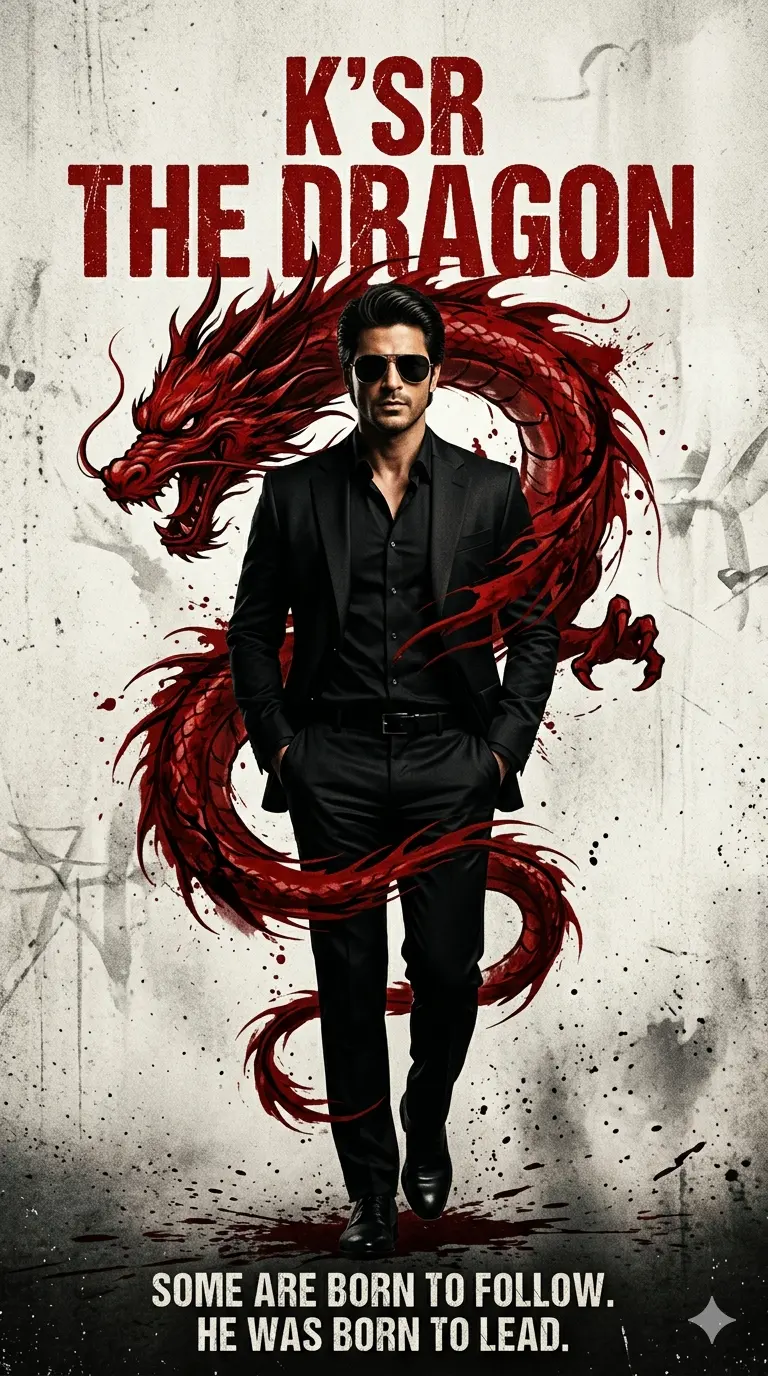
Create an epic cinematic AI image using this high-quality prompt optimized for Gemini AI image generation.
Prompt Content
Use this prompt in your favorite AI image generator.
Use refference image to create - A confident man in a sleek black suit and matching shirt stands in a powerful, forward-striding pose, hands in pockets, exuding authority and charisma. He has a full, well-groomed dar hair, and wears dark aviator sunglasses that add to his commanding presence. The composition centers him slightly off-center, with a dramatic, swirling red dragon motif—resembling ink or blood—wrapping around him, its head looming behind his shoulder.The background is a textured, off-white surface with subtle grunge and splatter effects, enhancing the intense atmosphere. The lighting is cinematic and directional, highlighting the man’s form and creating deep shadows that emphasize his strong silhouette. The overall style is a high-contrast, dramatic movie poster with a bold, stylized aesthetic.The text “K’SR the DRAGON” appears in a rugged, distressed font, accompanied by the tagline “SOME ARE BORN TO FOLLOW. HE WAS BORN TO LEAD.” The image is rendered in a photorealistic style with a cinematic color palette dominated by black, red, and muted beige tones, conveying power, mystery, and leadership. Make the aspect ratio 9:16
About This Prompt
Auto GeneratedThis is a high-quality Cinematic AI prompt crafted by Admin. It is designed to produce cinematic, film-quality visuals with minimal iteration. The prompt uses carefully selected descriptors and stylistic cues optimised for Gemini AI, making it ideal for creators who want consistent, professional results.
How To Use
Reusable Guide- 1Copy the prompt using the "Copy Prompt" button above.
- 2Open your preferred AI model (Gemini AI) and paste the prompt into the input field.
- 3Optionally, replace bracketed placeholders (e.g. [subject], [style]) with your own values to personalise the output.
- 4Run the prompt and review the result — iterate by tweaking descriptors for different moods or compositions.
- 5Save or export your favourite generations directly from the AI tool's interface.
For best results, use this prompt as-is before making edits — the defaults are already optimised.


