Multiplicity: Echoes of Self
Create an epic cinematic AI image using this high-quality prompt optimized for Gemini AI image generation.
Prompt Content
Use this prompt in your favorite AI image generator.
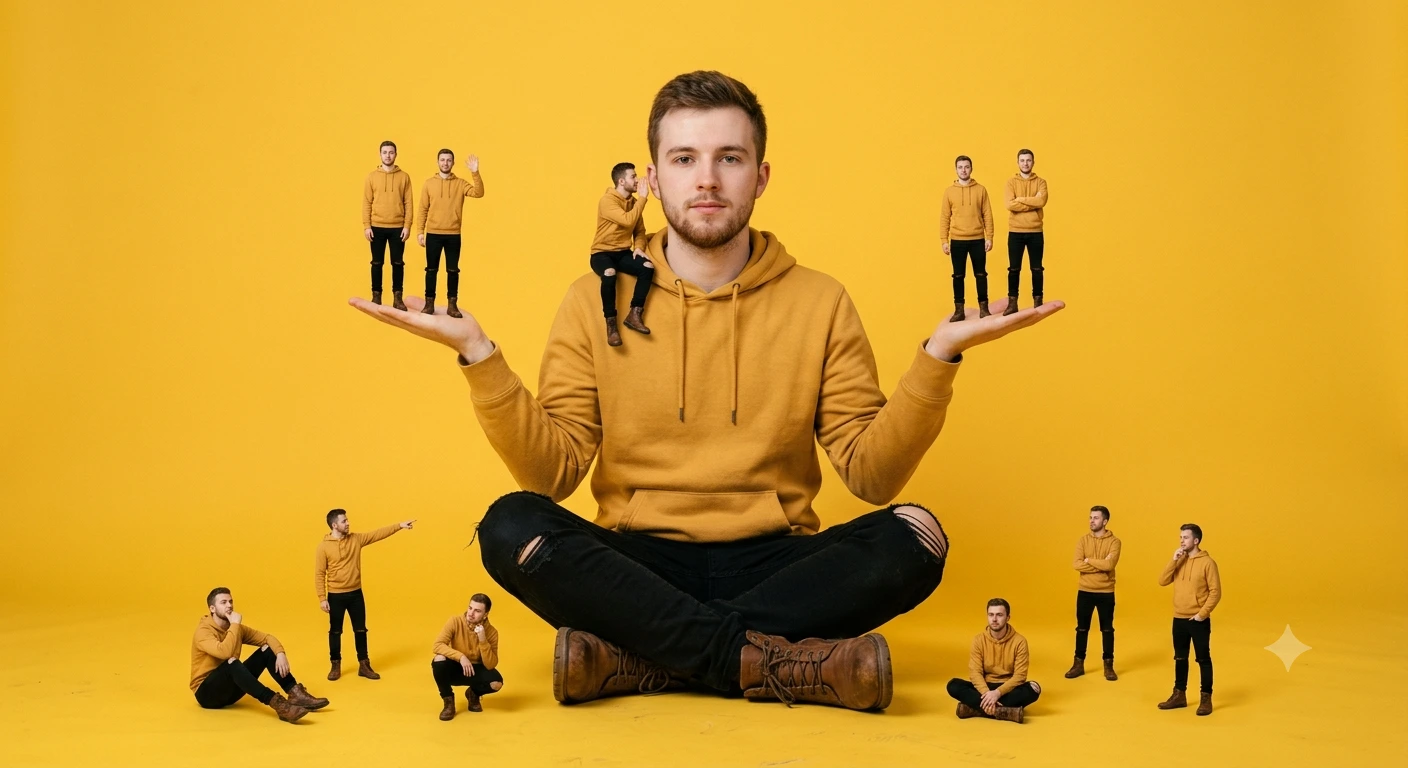
Create a surreal, photorealistic studio portrait of a young Caucasian man wearing a mustard yellow hoodie, black ripped jeans, and brown leather boots, sitting cross-legged on the floor against a solid vibrant yellow background. He is centered in the frame, facing forward with a calm, neutral expression. His arms are raised slightly outward, palms facing up, as if balancing miniature versions of himself. Multiple tiny clones of the same man are positioned around him: two standing on each hand, one sitting on his shoulder whispering, one pointing outward, and others sitting and posing around his legs and feet. Each miniature figure wears the same outfit (yellow hoodie, black jeans, brown boots) but in different poses (standing, sitting, thinking, pointing, whispering). Lighting is soft, even, and studio-quality with minimal shadows. The composition is clean and symmetrical, with a strong monochromatic yellow color theme. The clones are sharply detailed and proportionally smaller, creating a surreal scale contrast. Style & Technical: Ultra-realistic, high detail, 8K, Studio lighting, soft shadows, 85mm lens, sharp focus, Minimalist background, solid yellow, Surreal concept, multiple identical clones, Clean composition, editorial photography style
About This Prompt
Auto GeneratedThis is a high-quality Cinematic AI prompt crafted by Admin. It is designed to produce cinematic, film-quality visuals with minimal iteration. The prompt uses carefully selected descriptors and stylistic cues optimised for Gemini AI, making it ideal for creators who want consistent, professional results.
How To Use
Reusable Guide- 1Copy the prompt using the "Copy Prompt" button above.
- 2Open your preferred AI model (Gemini AI) and paste the prompt into the input field.
- 3Optionally, replace bracketed placeholders (e.g. [subject], [style]) with your own values to personalise the output.
- 4Run the prompt and review the result — iterate by tweaking descriptors for different moods or compositions.
- 5Save or export your favourite generations directly from the AI tool's interface.
For best results, use this prompt as-is before making edits — the defaults are already optimised.


