Queen of Arcane — Rise Through the Spades
Create an epic cinematic AI image using this high-quality prompt optimized for Gemini AI image generation.
Prompt Content
Use this prompt in your favorite AI image generator.
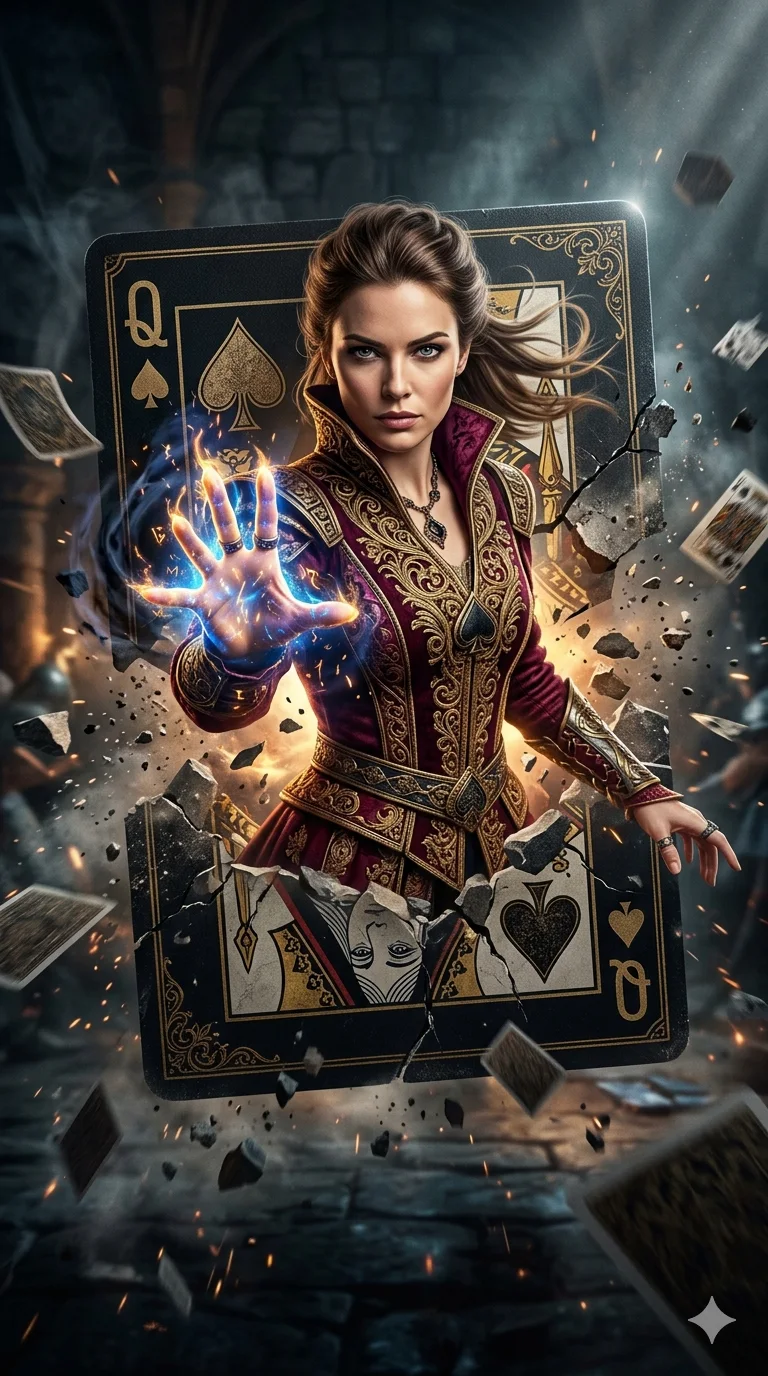
Image by GPT image 2 on Chatgpt Prompt A hyper-realistic cinematic movie poster of a powerful female sorcerer with the same facial structure and likeness as the uploaded reference photo, bursting through a cracked Queen of Spades playing card. The card explodes outward with stone fragments, dust, and debris frozen mid-air.She wears an ornate royal maroon and gold embroidered medieval fantasy jacket, rich fabric textures, intricate detailing, regal and mystical.The sorcerer extends one hand forward toward the viewer, fingers glowing with intense magical energy, subtle golden sparks and dark arcane aura surrounding the hand. Intense piercing gaze, confident and dominant Dramatic chiaroscuro lighting, dark moody background, volumetric light rays, ultra-detailed textures, shallow cinematic depth of field. Photorealistic face, epic fantasy realism, movie poster composition, high contrast, dynamic motion, dust particles, masterpiece quality, ultra-sharp focus, 8K resolution, cinematic color grading.expression, cinematic hero framing.
About This Prompt
Auto GeneratedThis is a high-quality Cinematic AI prompt crafted by Admin. It is designed to produce cinematic, film-quality visuals with minimal iteration. The prompt uses carefully selected descriptors and stylistic cues optimised for Gemini AI, making it ideal for creators who want consistent, professional results.
How To Use
Reusable Guide- 1Copy the prompt using the "Copy Prompt" button above.
- 2Open your preferred AI model (Gemini AI) and paste the prompt into the input field.
- 3Optionally, replace bracketed placeholders (e.g. [subject], [style]) with your own values to personalise the output.
- 4Run the prompt and review the result — iterate by tweaking descriptors for different moods or compositions.
- 5Save or export your favourite generations directly from the AI tool's interface.
For best results, use this prompt as-is before making edits — the defaults are already optimised.


