shadow ascension — summoner of the void
Create an epic cinematic AI image using this high-quality prompt optimized for Gemini AI image generation.
Prompt Content
Use this prompt in your favorite AI image generator.
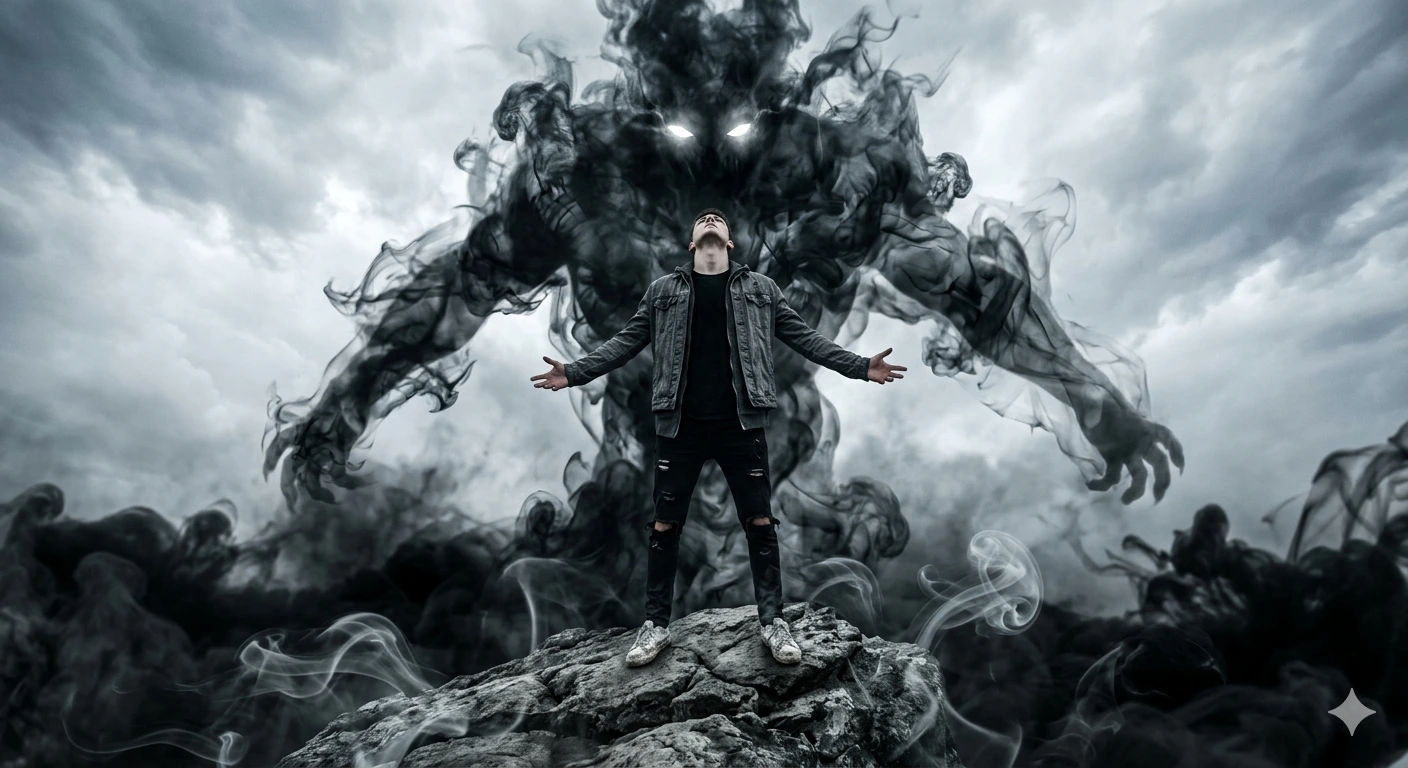
A hyper realistic cinematic dark fantasy scene of a young man standing on a rock with arms stretched wide open and head tilted backward toward the sky, full body low angle shot, wearing a black t-shirt, faded dark grey jacket, ripped black jeans, white sneakers, dramatic pose of summoning power. Behind him towers an enormous black shadow monster made of flowing dark smoke and ink-like energy, glowing bright white eyes piercing through the darkness, giant smoky arms extending outward, black mist swirling around the entire body, ghostly supernatural aura, monochrome storm atmosphere, smooth smoke curls floating in the air, foggy pale grey sky background, realistic cinematic lighting, ultra detailed smoke texture, dark fantasy aesthetic, depth of field, ultra sharp focus, high contrast shadows, centered composition, realistic clothing folds, intense supernatural energy, horror fantasy vibe, volumetric smoke effects, photorealistic scene, 8k ultra HD, masterpiece quality, unreal engine 5 r
About This Prompt
Auto GeneratedThis is a high-quality Cinematic AI prompt crafted by Admin. It is designed to produce cinematic, film-quality visuals with minimal iteration. The prompt uses carefully selected descriptors and stylistic cues optimised for Gemini AI, making it ideal for creators who want consistent, professional results.
How To Use
Reusable Guide- 1Copy the prompt using the "Copy Prompt" button above.
- 2Open your preferred AI model (Gemini AI) and paste the prompt into the input field.
- 3Optionally, replace bracketed placeholders (e.g. [subject], [style]) with your own values to personalise the output.
- 4Run the prompt and review the result — iterate by tweaking descriptors for different moods or compositions.
- 5Save or export your favourite generations directly from the AI tool's interface.
For best results, use this prompt as-is before making edits — the defaults are already optimised.


