SUNRISE ENDURANCE: Double Exposure Runner Journey – Strava Neon Motion Editorial
Create an epic cinematic AI image using this high-quality prompt optimized for Gemini AI image generation.
Prompt Content
Use this prompt in your favorite AI image generator.
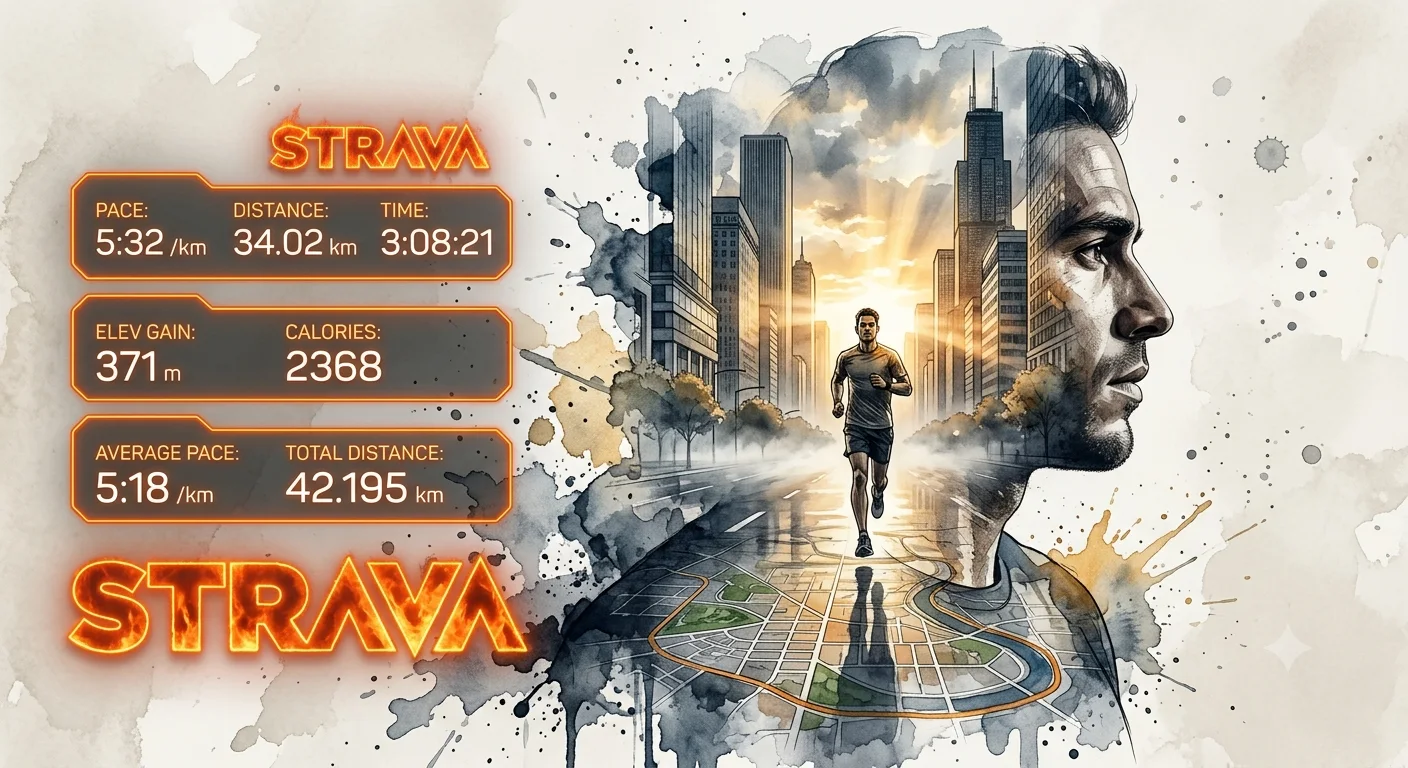
Ultra-detailed double exposure artwork of a runner, side-profile facing right from the reference photo. Inside the runner's face and upper body silhouette is a cinematic running journey through sunrise city landscapes, with a runner on a wide road surrounded by high building, mist, and golden sunlight breaking through clouds. Foreground features a detailed map from the second reference photo on wet reflective ground.Watercolor splashes and ink textures blend portrait and scenery seamlessly. Soft neutral background with artistic paint splatters, moody cinematic lighting, high contrast, realistic textures, depth, dynamic composition, photorealistic + watercolor illustration style, emotional endurance and freedom theme, masterpiece quality, 8k. Left side: 3 futuristic orange neon HUD panels showing the data from the second photo of running data information from strava plus a massive fiery orange STRAVA logo.
About This Prompt
Auto GeneratedThis is a high-quality Cinematic AI prompt crafted by Admin. It is designed to produce cinematic, film-quality visuals with minimal iteration. The prompt uses carefully selected descriptors and stylistic cues optimised for Gemini AI, making it ideal for creators who want consistent, professional results.
How To Use
Reusable Guide- 1Copy the prompt using the "Copy Prompt" button above.
- 2Open your preferred AI model (Gemini AI) and paste the prompt into the input field.
- 3Optionally, replace bracketed placeholders (e.g. [subject], [style]) with your own values to personalise the output.
- 4Run the prompt and review the result — iterate by tweaking descriptors for different moods or compositions.
- 5Save or export your favourite generations directly from the AI tool's interface.
For best results, use this prompt as-is before making edits — the defaults are already optimised.


