The Girl From The Forgotten Book
Create an epic cinematic AI image using this high-quality prompt optimized for Gemini AI image generation.
Prompt Content
Use this prompt in your favorite AI image generator.
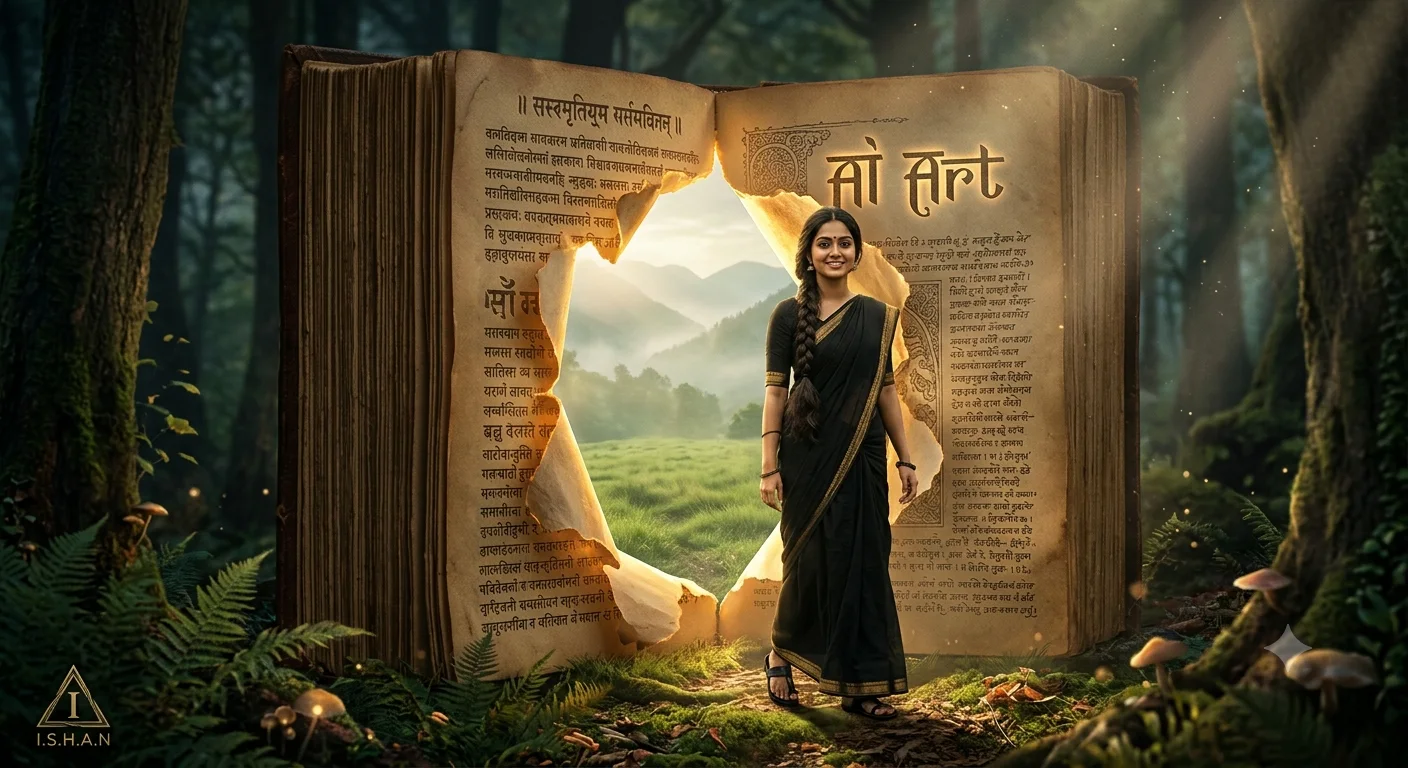
A surreal cinematic fantasy scene of an enormous ancient open book standing vertically, ultra-detailed magical realism style. The aged yellowed pages are written in old Indian text, with the title 'AI Art’ visible on the page. A dramatic torn opening rips through the center of the book pages like a portal, glowing softly with warm golden sunlight from behind. Through the torn paper doorway stands a beautiful young indian woman in traditional indian-inspired attire.She black saree and black color sandals. Her long black braided hair falls gracefully over her shoulders. She stands calmly, looking toward the viewer with a serene, mysterious expression. Beyond the paper portal is a dreamy natural landscape with green grasslands, misty mountains, and soft morning light. The torn paper edges are textured, burned, and illuminated by warm cinematic rim lighting. The scene blends literature and fantasy reality, creating the illusion that the woman stepped out from inside the book itself. Ultra-realistic textures, volumetric lighting, shallow depth of field, soft shadows, warm golden tones, cinematic composition, highly detailed paper fibers, atmospheric mood, masterpiece fantasy photography, 8K resolution.” In the left bottom corner add a small triangle with a stylized "I" inside it and a text "I.S.H.A.N" beneath it.Keep the face 100% same as in the uploaded picture.
About This Prompt
Auto GeneratedThis is a high-quality Cinematic AI prompt crafted by Admin. It is designed to produce cinematic, film-quality visuals with minimal iteration. The prompt uses carefully selected descriptors and stylistic cues optimised for Gemini AI, making it ideal for creators who want consistent, professional results.
How To Use
Reusable Guide- 1Copy the prompt using the "Copy Prompt" button above.
- 2Open your preferred AI model (Gemini AI) and paste the prompt into the input field.
- 3Optionally, replace bracketed placeholders (e.g. [subject], [style]) with your own values to personalise the output.
- 4Run the prompt and review the result — iterate by tweaking descriptors for different moods or compositions.
- 5Save or export your favourite generations directly from the AI tool's interface.
For best results, use this prompt as-is before making edits — the defaults are already optimised.


