THE LAST RONIN
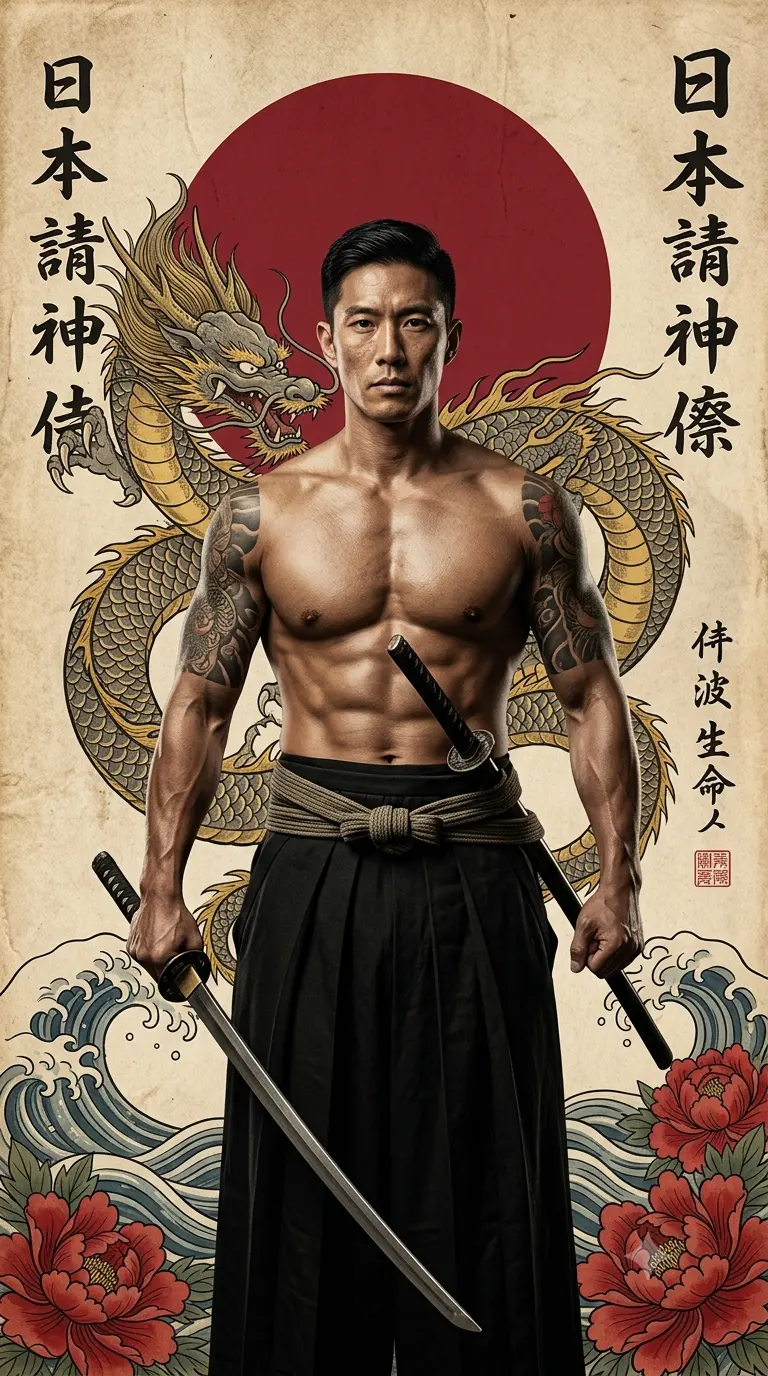
Create an epic cinematic AI image using this high-quality prompt optimized for Gemini AI image generation.
Prompt Content
Use this prompt in your favorite AI image generator.
He wears traditional black pleated hakama trousers tied at the waist with a thick sash. He holds two Katana swords; one is held low by his side, and the other is tucked into his belt. Background Elements (Ukiyo-e Style): The background is styled like a vintage, weathered Japanese scroll with a parchment texture. Key elements include: The Great Dragon: A large, highly detailed golden and grey dragon winding behind the subject. The Rising Sun: A large, solid deep-red circle centered behind the man’s head. Calligraphy: Vertical columns of black Japanese kanji characters on both the left and right sides. Nature Motifs: Stylized "Great Wave" water ripples and large blooming red peonies at the bottom corners. Artistic Technique: Lighting: Dramatic studio lighting (Chiaroscuro) that emphasizes muscle definition and the texture of the tattoos. Color Palette: A sophisticated mix of earthy parchment tones, deep blacks, vibrant crimson, and metallic gold. Quality: 8k resolution, hyper-detailed skin textures, vintage paper grain, and sharp focus on the subject with a slight illustrative overlay to bridge the gap between photography and classic art. Aspect ratio is 9:16
About This Prompt
Auto GeneratedThis is a high-quality Cinematic AI prompt crafted by Admin. It is designed to produce cinematic, film-quality visuals with minimal iteration. The prompt uses carefully selected descriptors and stylistic cues optimised for Gemini AI, making it ideal for creators who want consistent, professional results.
How To Use
Reusable Guide- 1Copy the prompt using the "Copy Prompt" button above.
- 2Open your preferred AI model (Gemini AI) and paste the prompt into the input field.
- 3Optionally, replace bracketed placeholders (e.g. [subject], [style]) with your own values to personalise the output.
- 4Run the prompt and review the result — iterate by tweaking descriptors for different moods or compositions.
- 5Save or export your favourite generations directly from the AI tool's interface.
For best results, use this prompt as-is before making edits — the defaults are already optimised.


