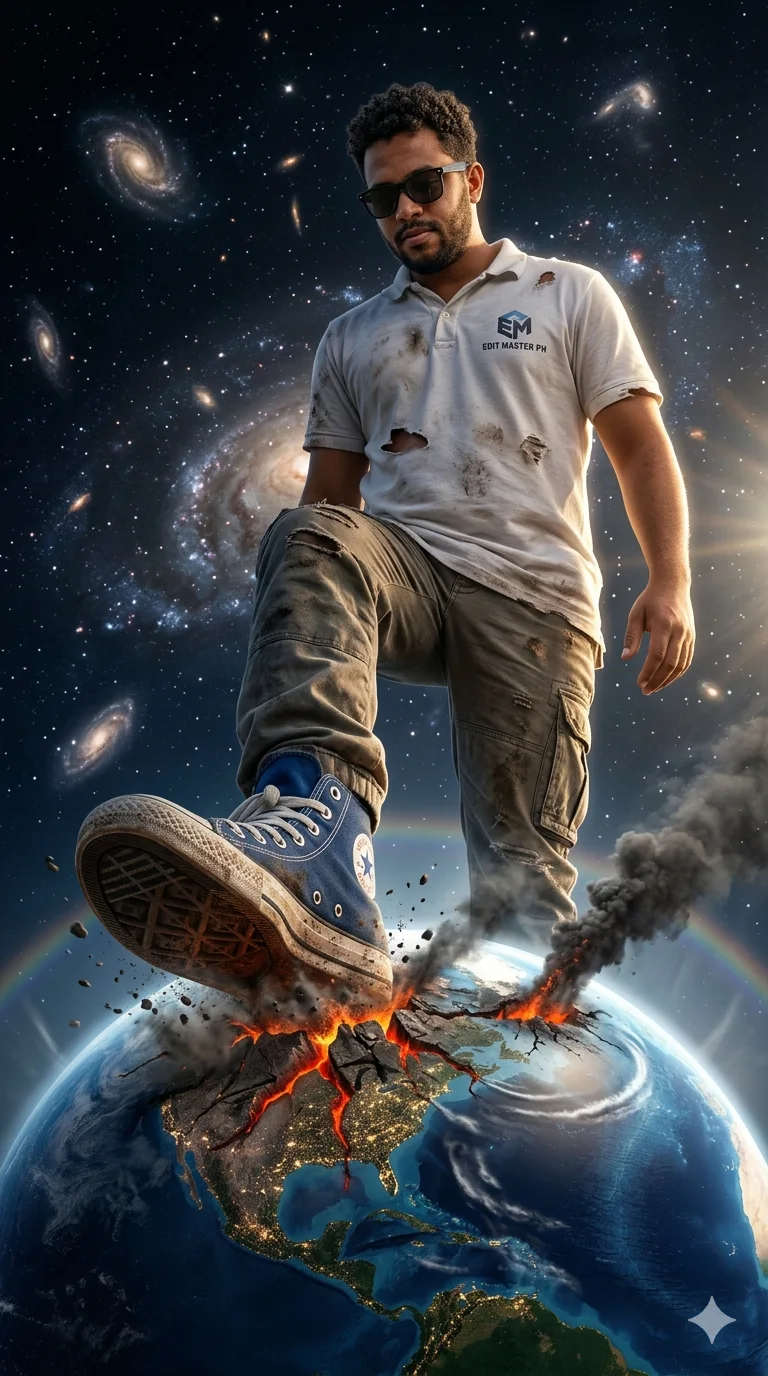
Titan Above Earth — The Planet Crusher
Create an epic cinematic AI image using this high-quality prompt optimized for Gemini AI image generation.
Prompt Content
Use this prompt in your favorite AI image generator.
Ultra realistic cinematic giant scene of the exact same man from the reference image standing on top of planet Earth in outer space. He keeps the exact same face, hairstyle, sunglasses, skin tone, body shape, ripped dirty white “EDIT MASTER PH” polo shirt, ripped dirty pants, and blue Converse shoes — absolutely no changes to his appearance. The camera angle is an extreme low-angle perspective to make him look unbelievably massive, larger than continents.One giant sneaker is crushing the Earth’s surface, creating huge cracks, glowing lava fissures, earthquakes, smoke, debris, and collapsing ground beneath his shoe. Massive shockwaves spread across the planet with realistic destruction effects. The Earth is highly detailed with visible continents, glowing city lights, clouds, atmosphere, and realistic curvature.Deep outer space background filled with stars, galaxies, and dramatic sunlight shining from the side, creating epic cinematic rim lighting. His pose is calm, dominant, and intimidating while looking down like a god-sized titan. Dust and smoke rise around the shoe impact area.Hyper detailed textures, photorealistic skin, ultra realistic fabric physics, cinematic shadows, HDR lighting, volumetric smoke, dramatic atmosphere, sharp focus, depth of field, masterpiece quality, Unreal Engine 5 style, IMAX cinematic composition, 8K ultra detailed, vertical 9:16 format.
About This Prompt
Auto GeneratedThis is a high-quality Cinematic AI prompt crafted by Admin. It is designed to produce cinematic, film-quality visuals with minimal iteration. The prompt uses carefully selected descriptors and stylistic cues optimised for Gemini AI, making it ideal for creators who want consistent, professional results.
How To Use
Reusable Guide- 1Copy the prompt using the "Copy Prompt" button above.
- 2Open your preferred AI model (Gemini AI) and paste the prompt into the input field.
- 3Optionally, replace bracketed placeholders (e.g. [subject], [style]) with your own values to personalise the output.
- 4Run the prompt and review the result — iterate by tweaking descriptors for different moods or compositions.
- 5Save or export your favourite generations directly from the AI tool's interface.
For best results, use this prompt as-is before making edits — the defaults are already optimised.


